{{ 'fb_in_app_browser_popup.desc' | translate }} {{ 'fb_in_app_browser_popup.copy_link' | translate }}

{{ 'in_app_browser_popup.desc' | translate }}

你的購物車是空的
{{ (item.variation.media ? item.variation.media.alt_translations : item.product.cover_media.alt_translations) | translateModel }} {{ (item.variation.media
                    ? item.variation.media.alt_translations
                    : item.product.cover_media.alt_translations) | translateModel
                }}
{{ 'product.bundled_products.label' | translate }}
{{ 'product.bundle_group_products.label' | translate }}
{{ 'product.buyandget.label' | translate }}
{{ 'product.gift.label' | translate }}
{{ 'product.addon_products.label' | translate }}
{{item.product.title_translations|translateModel}}
{{ field.name_translations | translateModel }}
  • {{ childProduct.title_translations | translateModel }}

    {{ getChildVariationShorthand(childProduct.child_variation) }}

{{ 'product.set.open_variation' | translate }}
  • {{ getSelectedItemDetail(selectedChildProduct, item).childProductName }} x {{ selectedChildProduct.quantity || 1 }}

    {{ getSelectedItemDetail(selectedChildProduct, item).childVariationName }}

{{item.variation.name}}
{{item.quantity}}x {{ item.unit_point }} 點
{{addonItem.product.cover_media.alt_translations | translateModel}}
{{ 'product.addon_products.label' | translate }}
{{addonItem.product.title_translations|translateModel}}
{{addonItem.quantity}}x {{ mainConfig.merchantData.base_currency.alternate_symbol + "0" }}
雅詠音響 · 香港及澳門官方代理Aria Audio · Official HK & Macau Distributor
英國設計及研發Designed and engineered in Great Britain

音樂,有自己的位置Make space for your music

從桌面旗艦,到真正隨身
2026 年的 iFi,把聆聽放進你的生活
From a desktop flagship to genuinely portable listening
iFi in 2026, made part of your life

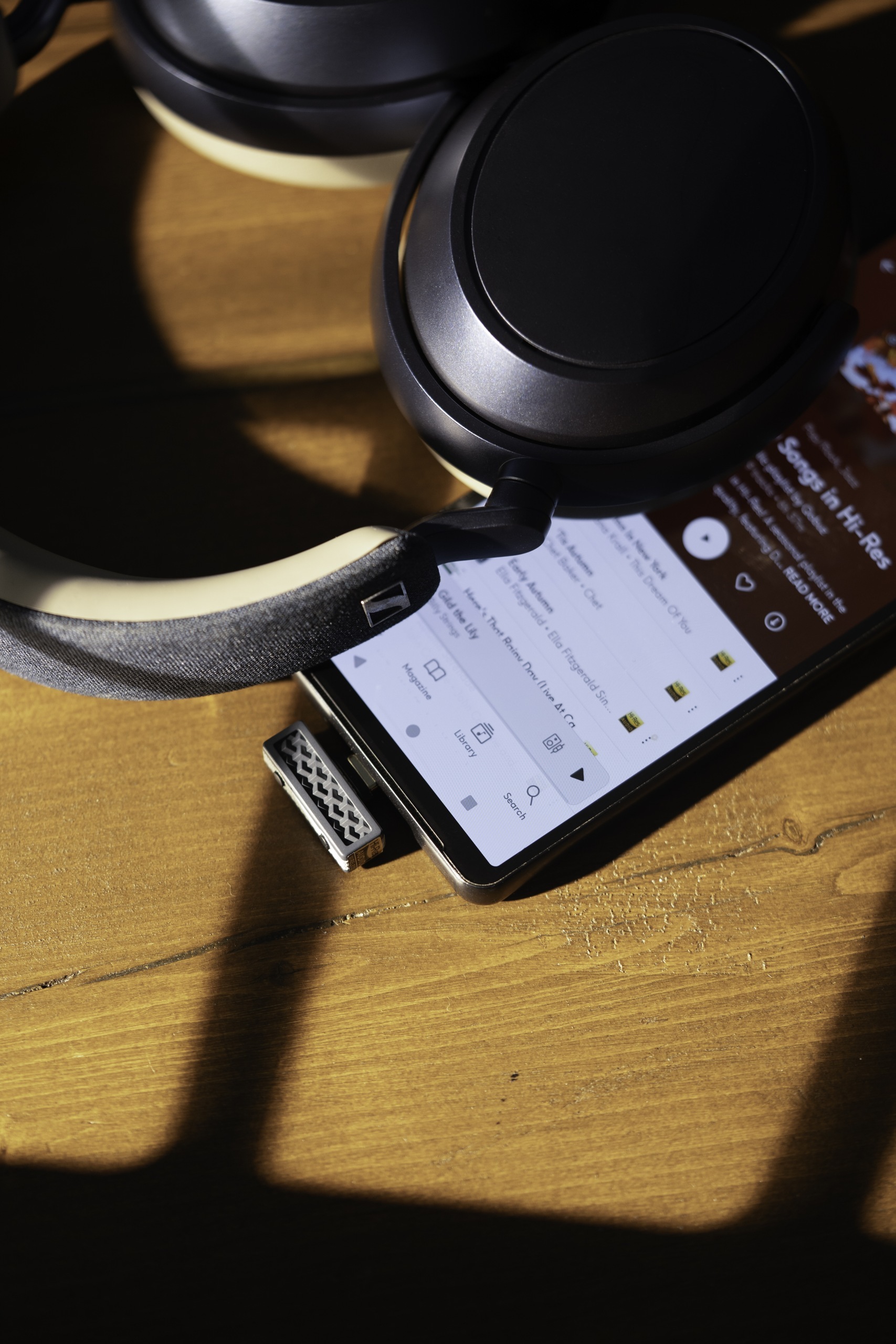
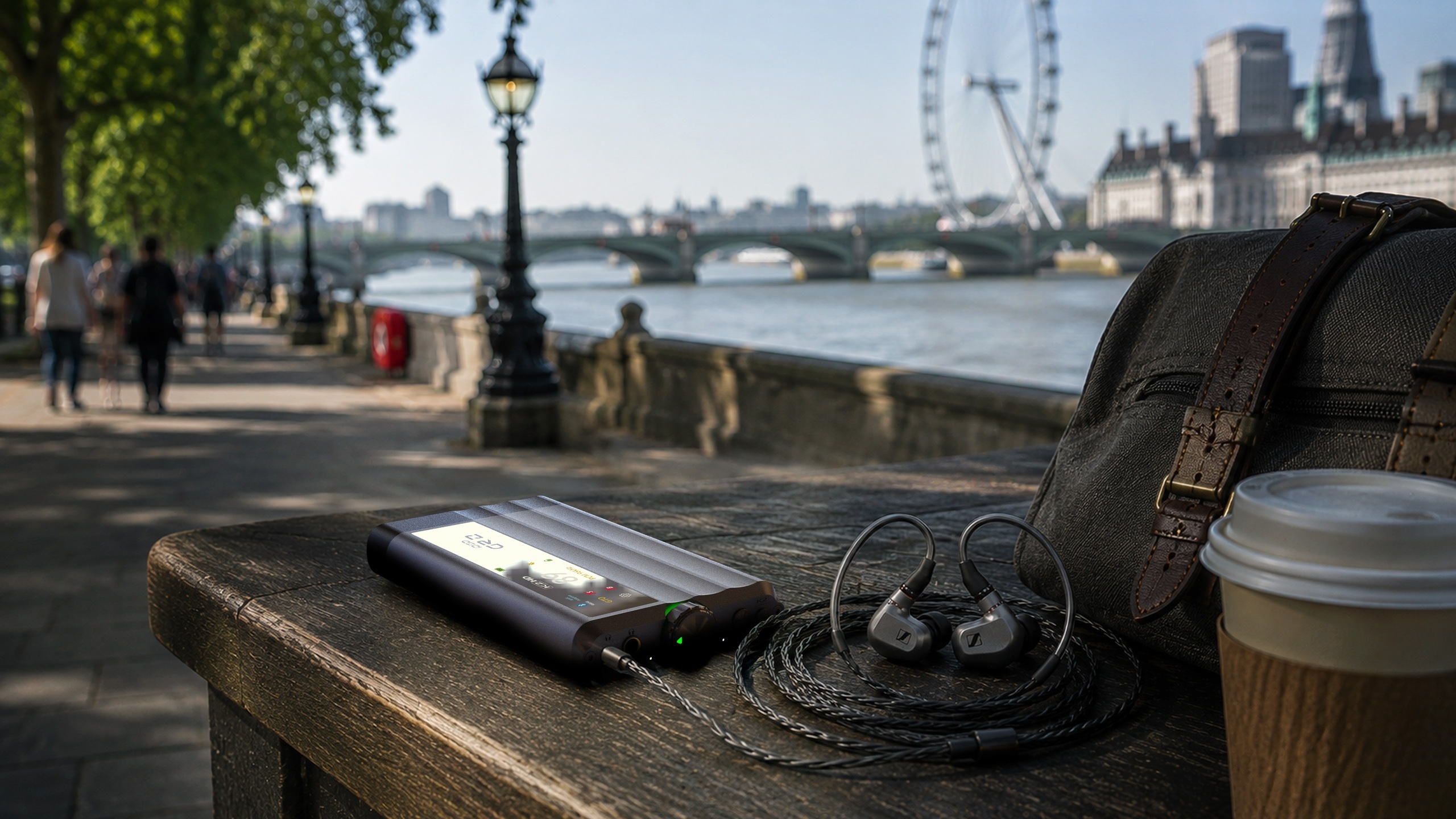
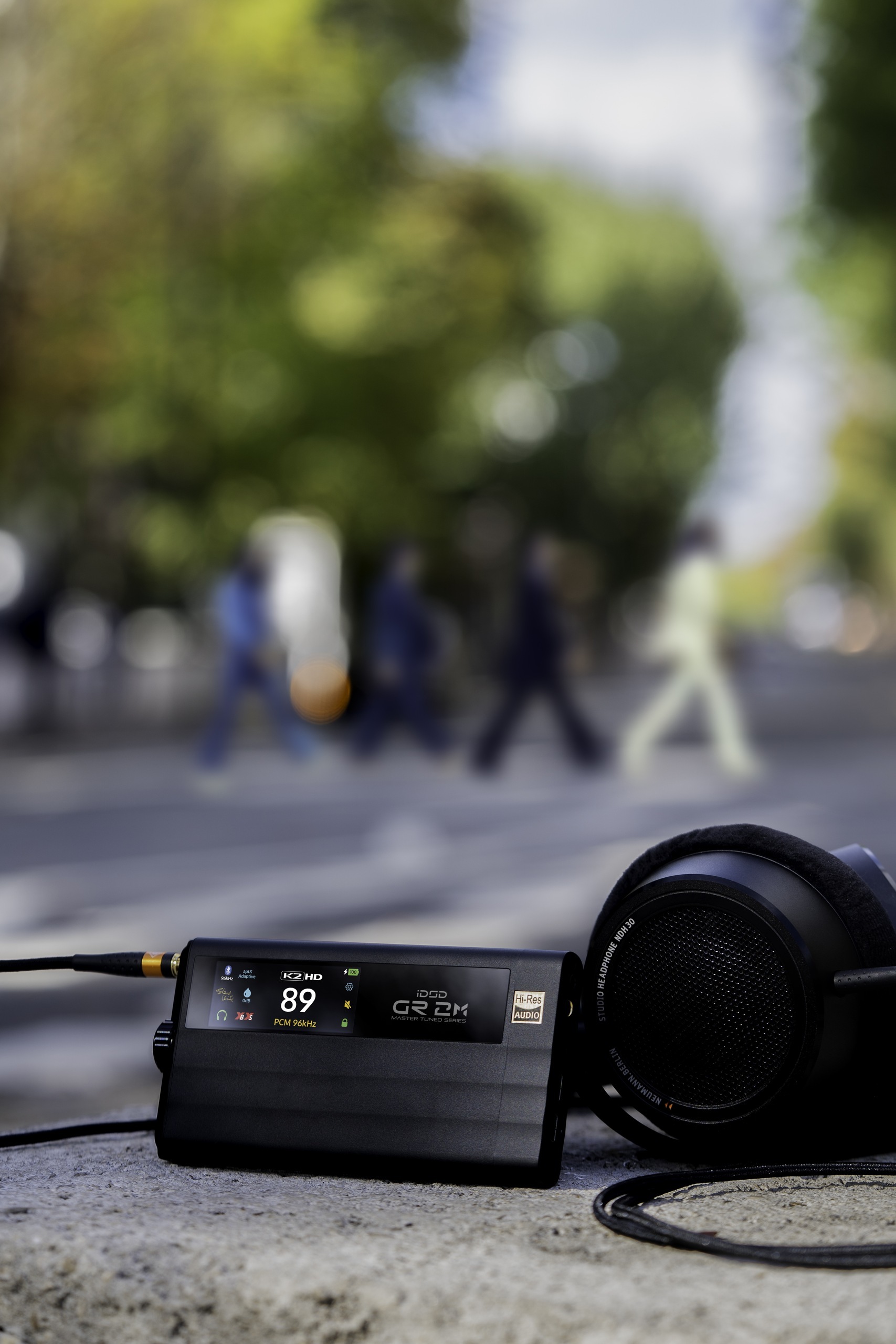
iDSD GR 2 MT beside headphones on a bright outdoor table
Master Tuned · 2026 新作New for 2026

iDSD GR 2 MT

由英國製作人 Steve Levine 參與調聲
兩款專屬數碼濾波器,把錄音室的聆聽取向帶進日常
Voiced with British producer Steve Levine
Two exclusive digital filters bring a studio listening perspective into your day
探索 Master Tuned 版本Explore the Master Tuned edition ↓
GO cable · 把聆聽帶進日常Listening, made part of your day

喜歡的音樂
就這樣,帶著走
Your favourite music
Just take it with you

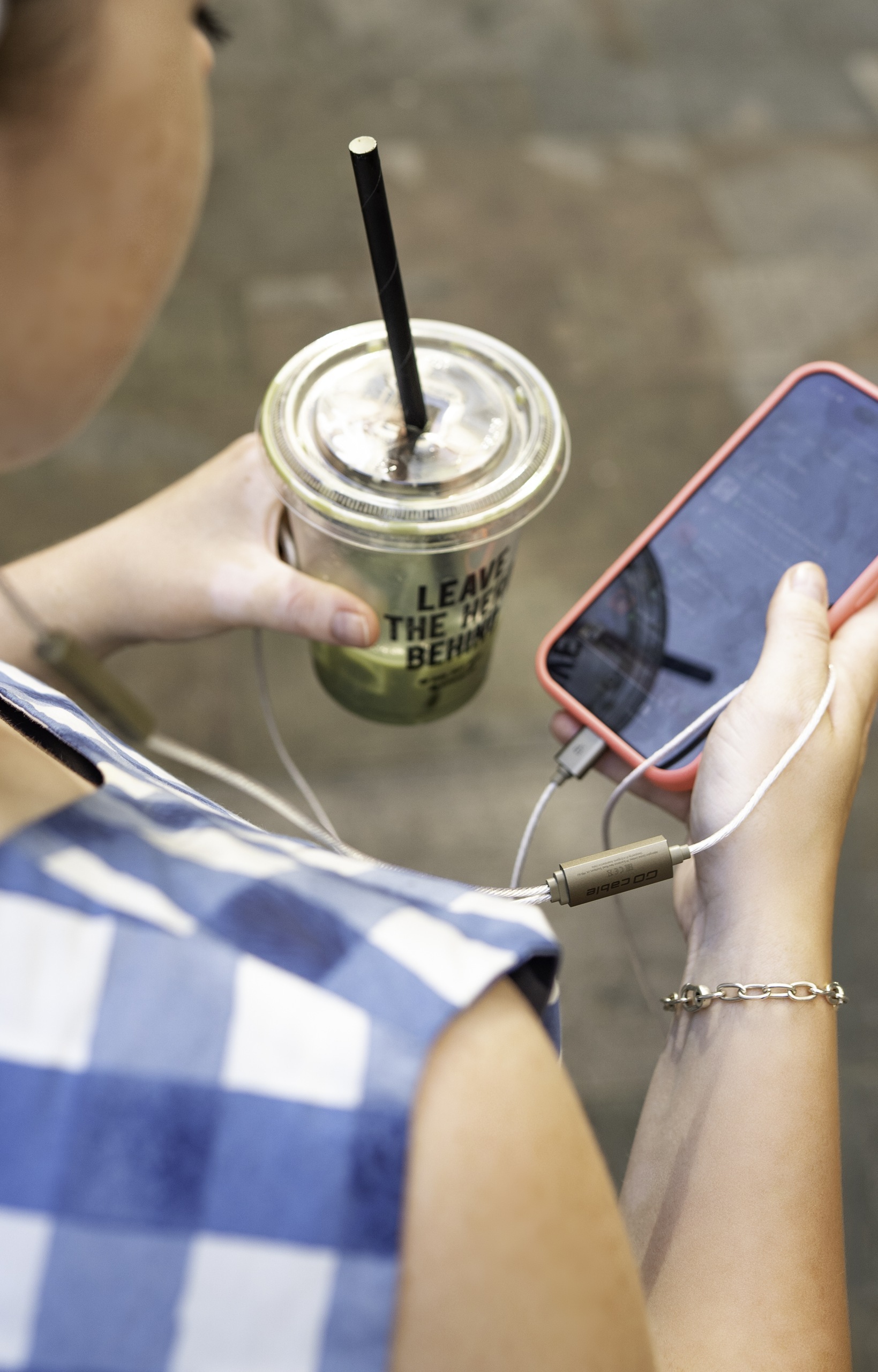
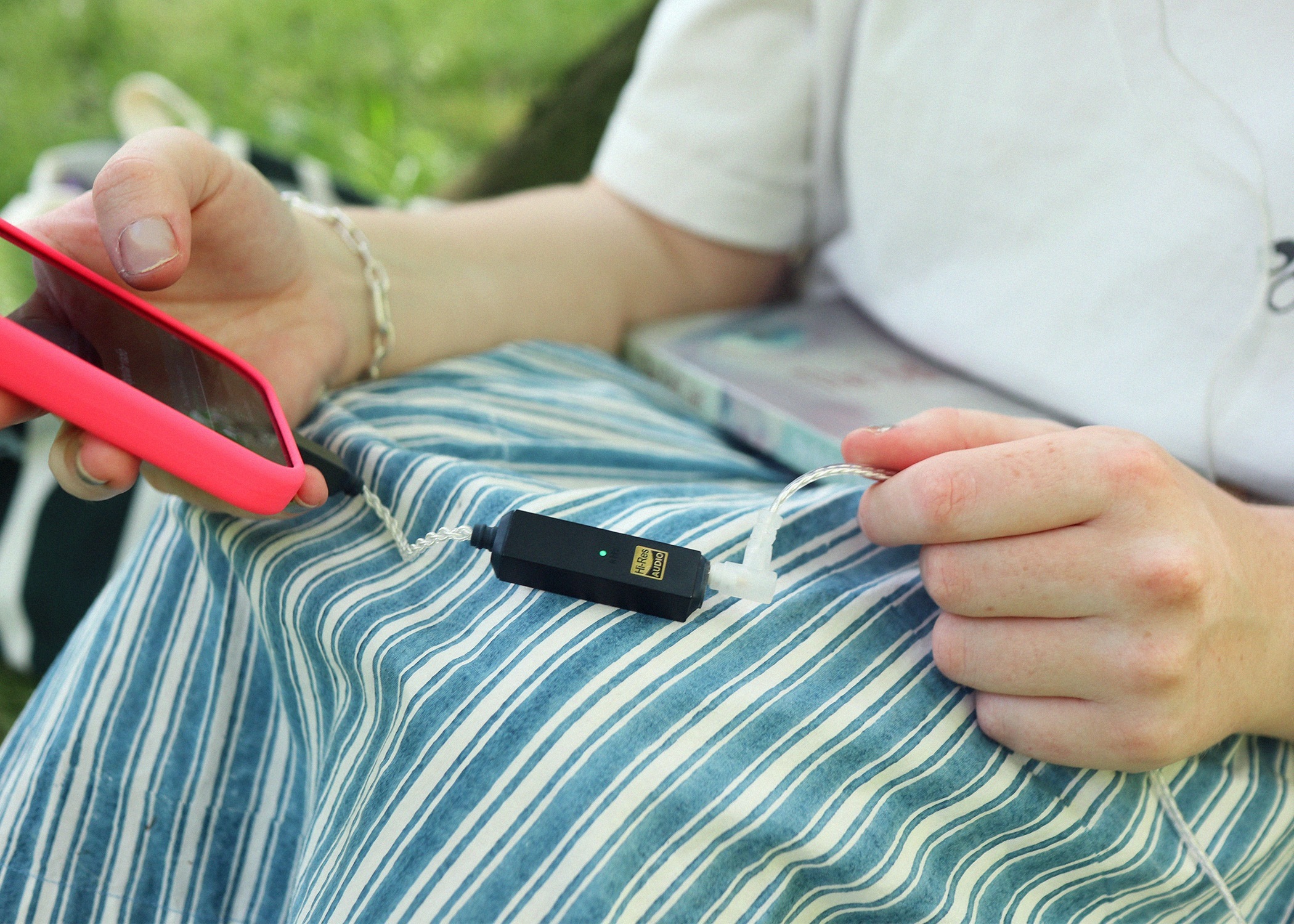
一條耳機線,把手機與兼容的兩針入耳式耳機連起來
解碼、耳擴與線控已經藏在裏面,出門時少帶一件器材
One cable connects your phone to compatible two-pin in-ear monitors
The DAC, amplifier and controls are already inside, so there’s less to carry

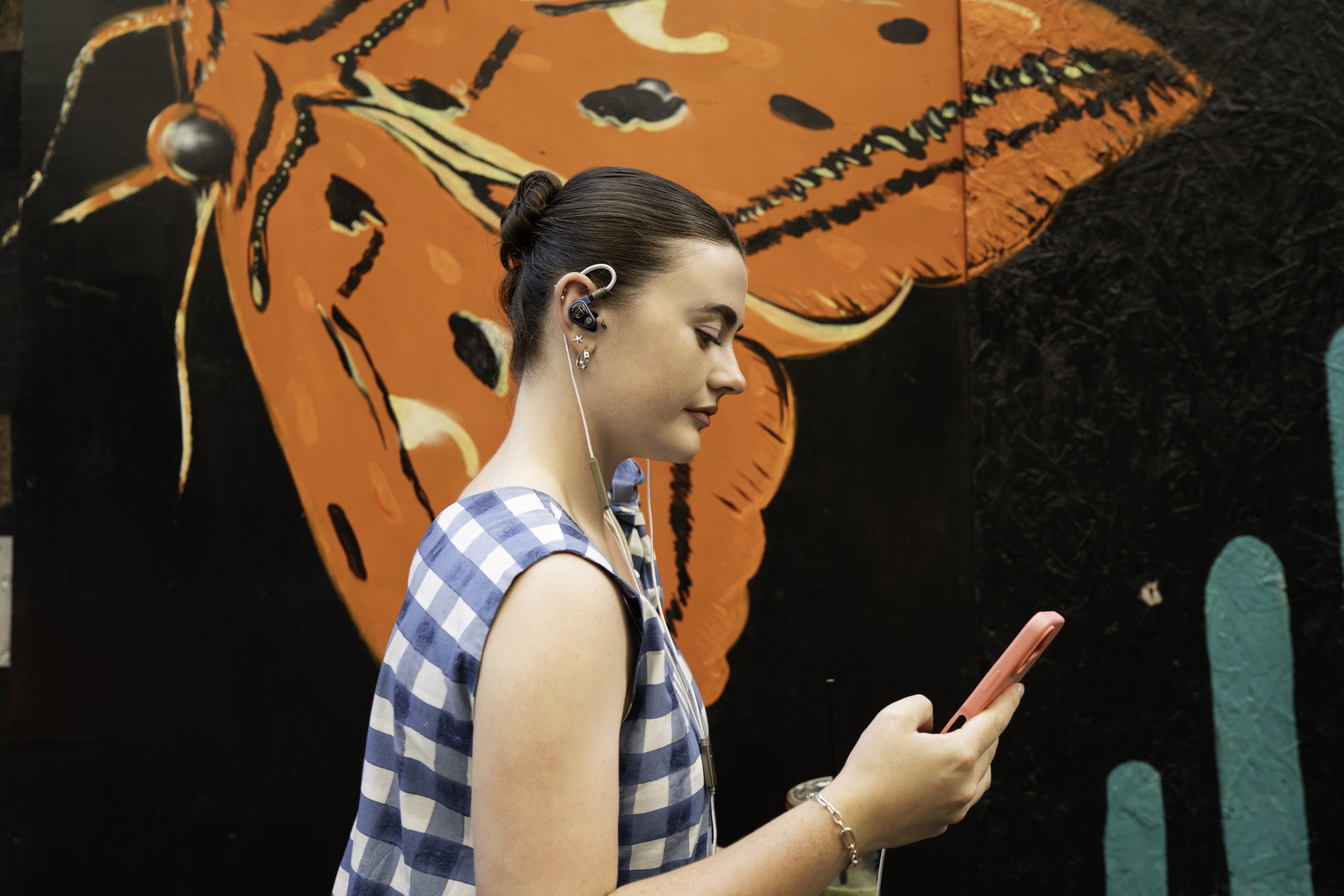
GO cable actually used with two-pin in-ear monitors and a phone outdoors
USB-C 手機USB-C phone→GO cableGO cable→0.78mm 兩針 IEM0.78mm two-pin IEMs
探索 GO cable 的使用方式Explore how GO cable works ↓
按生活方式探索Explore by lifestyle

今天,想怎樣聽?How will you listen today?

點開一個情境,再展開你感興趣的器材
從真實使用方式,找到合適的連接
Open a listening situation, then explore a product that interests you
Real use, simple connections, room to discover

Actual iFi product in desk and home
桌面與家居Desk and home

回到家,聽完整張專輯Home again. Stay for the album.

iDSD PHANTOM · NEO iDSD 3 · NEO Stream 3 · ZEN DAC 3

探索這個系列Explore this family
家居聆聽At home

iDSD PHANTOM

串流播放器・DAC・耳機擴音器Streamer · DAC · Headphone amplifier

回到家
把整張專輯聽完
Home again
Stay for the whole album

展開使用方式Explore how to use it
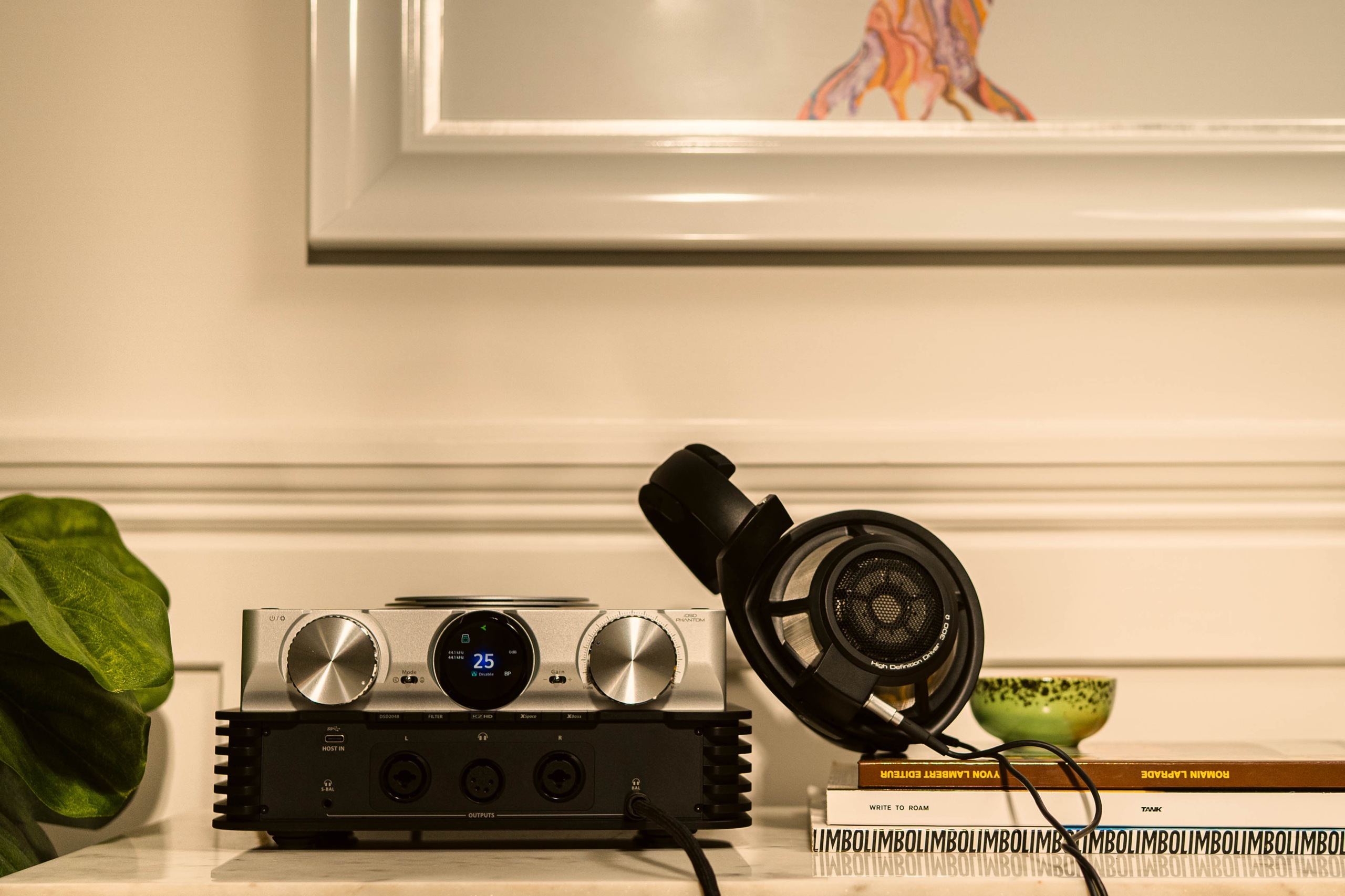
iDSD PHANTOM in actual everyday use

串流、解碼、耳機擴音,集中在一部器材
接上網絡與耳機,為一張值得細聽的專輯留出時間
Streaming, conversion and headphone amplification in one component
Connect your network and headphones, then make time for an album worth staying with

家居網絡Home Network→Ethernet/Wi-FiEthernet / Wi-Fi→iDSD PHANTOMiDSD PHANTOM→耳機Headphones

亦可透過線路輸出接到家居音響系統Line outputs also connect to a home hi-fi system

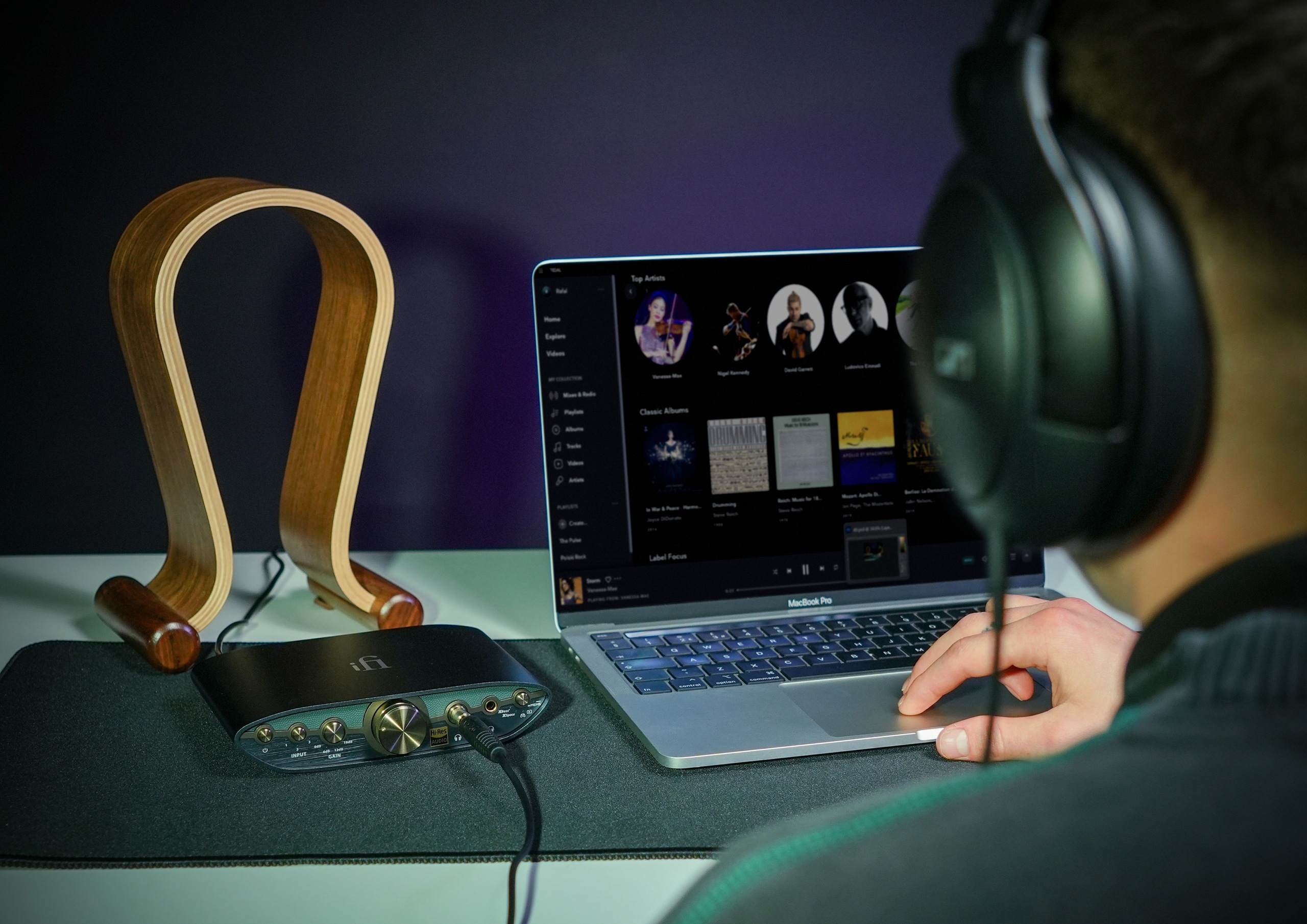
電腦桌面At your desk

ZEN DAC 3

USB DAC・耳機擴音器USB DAC · Headphone amplifier

你的桌面
也可以好好聽歌
Make room for music
on your desk

展開使用方式Explore how to use it
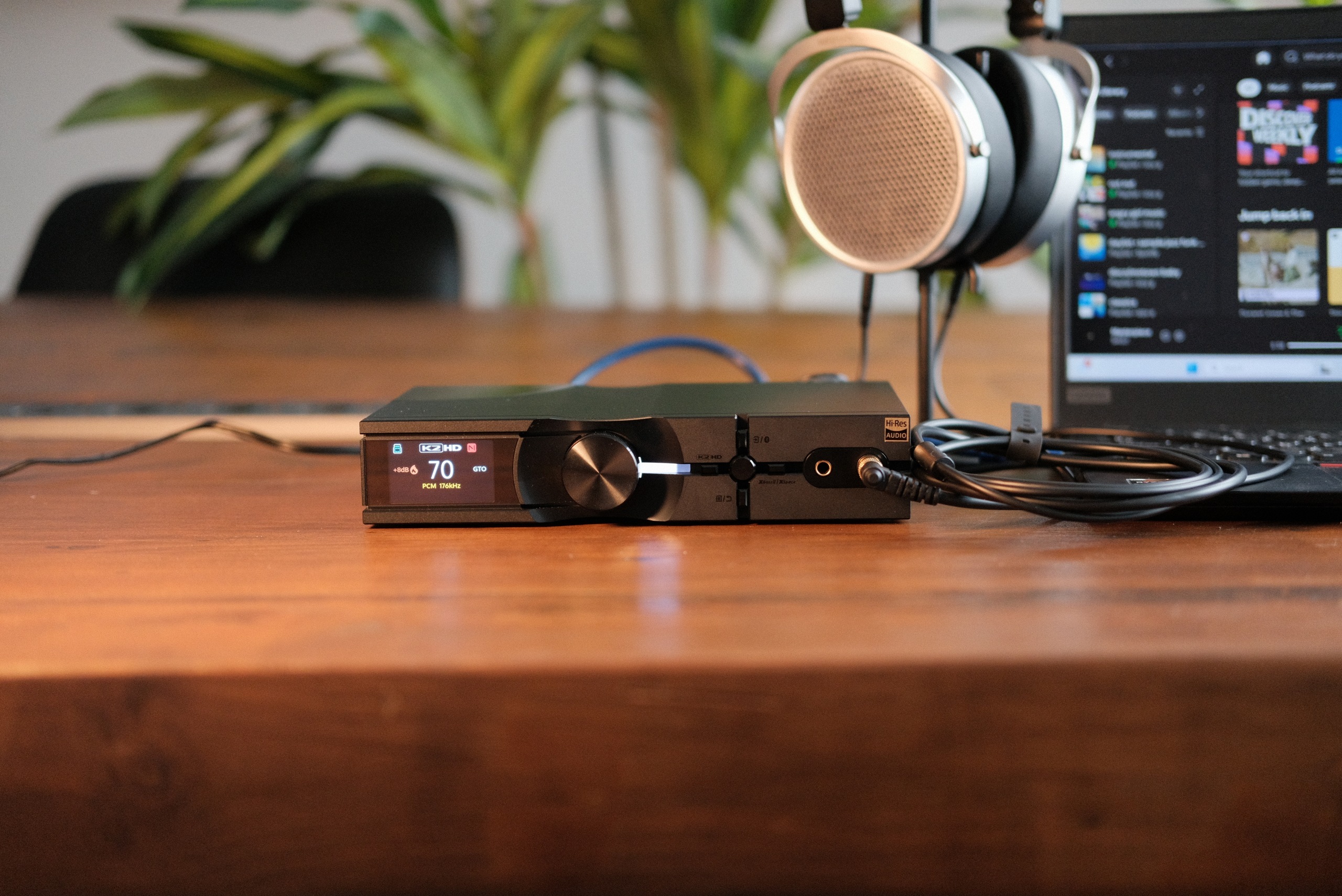
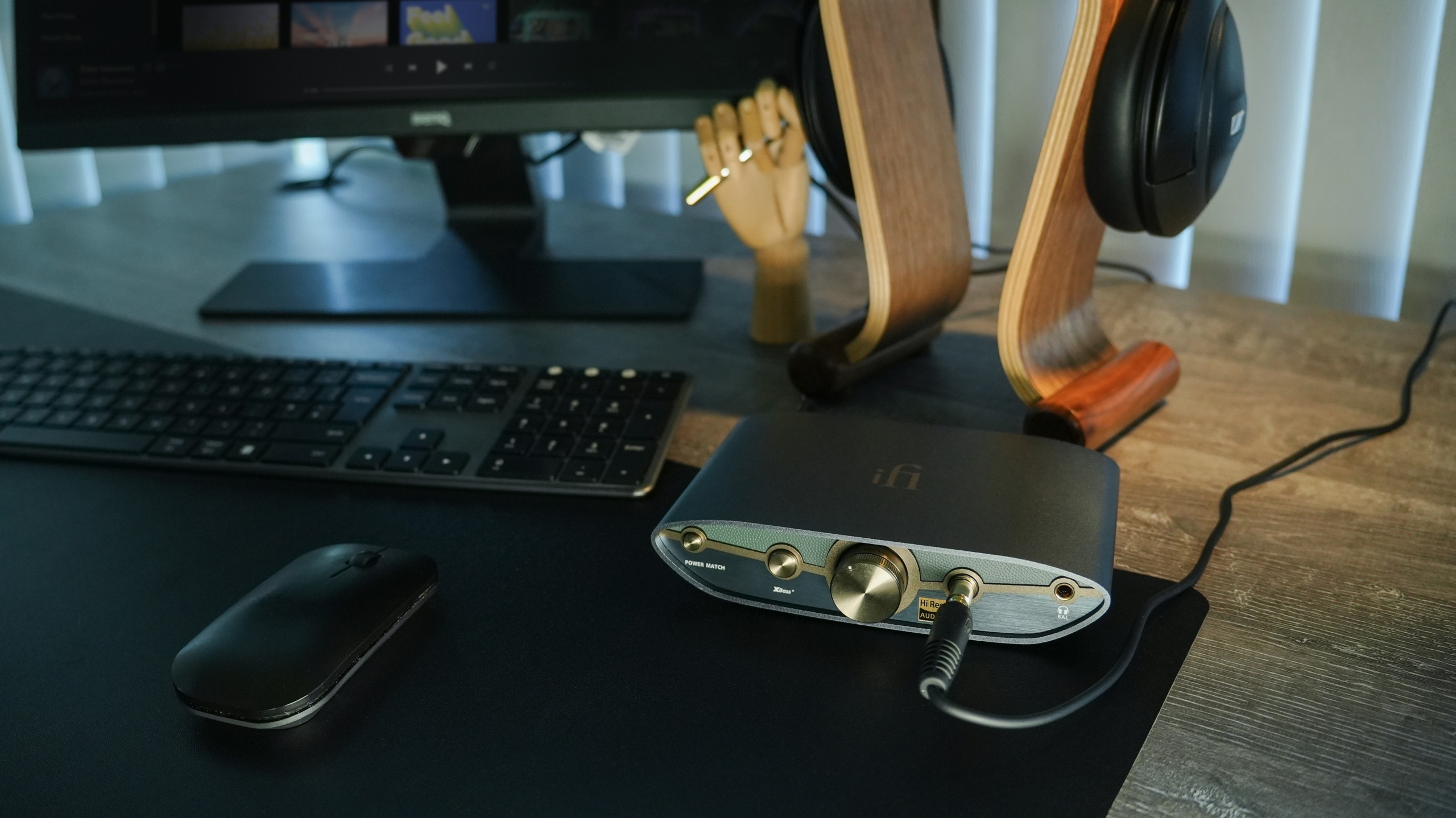
ZEN DAC 3 in actual everyday use

工作之間,留一點空間給喜歡的專輯
電腦透過 USB 接到 ZEN DAC 3,耳機接到前方,轉動旋鈕便能調整音量
Make space for a favourite album between tasks
Connect your computer by USB, plug headphones into the front, and turn the dial to set your volume

電腦Computer→USB-CUSB-C→ZEN DAC 3ZEN DAC 3→耳機Headphones

RCA 及平衡線路輸出,亦可接到合適的有源喇叭或擴音機RCA and balanced line outputs also connect to suitable active speakers or an amplifier

HK$1,799
NEO · 桌面與家居Desk and home

NEO iDSD 3

USB/Bluetooth DAC・耳機擴音器USB / Bluetooth DAC · Headphone amplifier

展開使用方式Explore how to use it
NEO iDSD 3 official current-model photograph

電腦以 USB 接入,或讓手機透過 Bluetooth 連接
耳機接到面板,桌面就有一個專心聽音樂的位置
Connect a computer by USB or a phone over Bluetooth
Plug your headphones into the front and make a place for focused listening

HK$7,980
產品詳情Product details ↗
NEO · 桌面與家居Desk and home

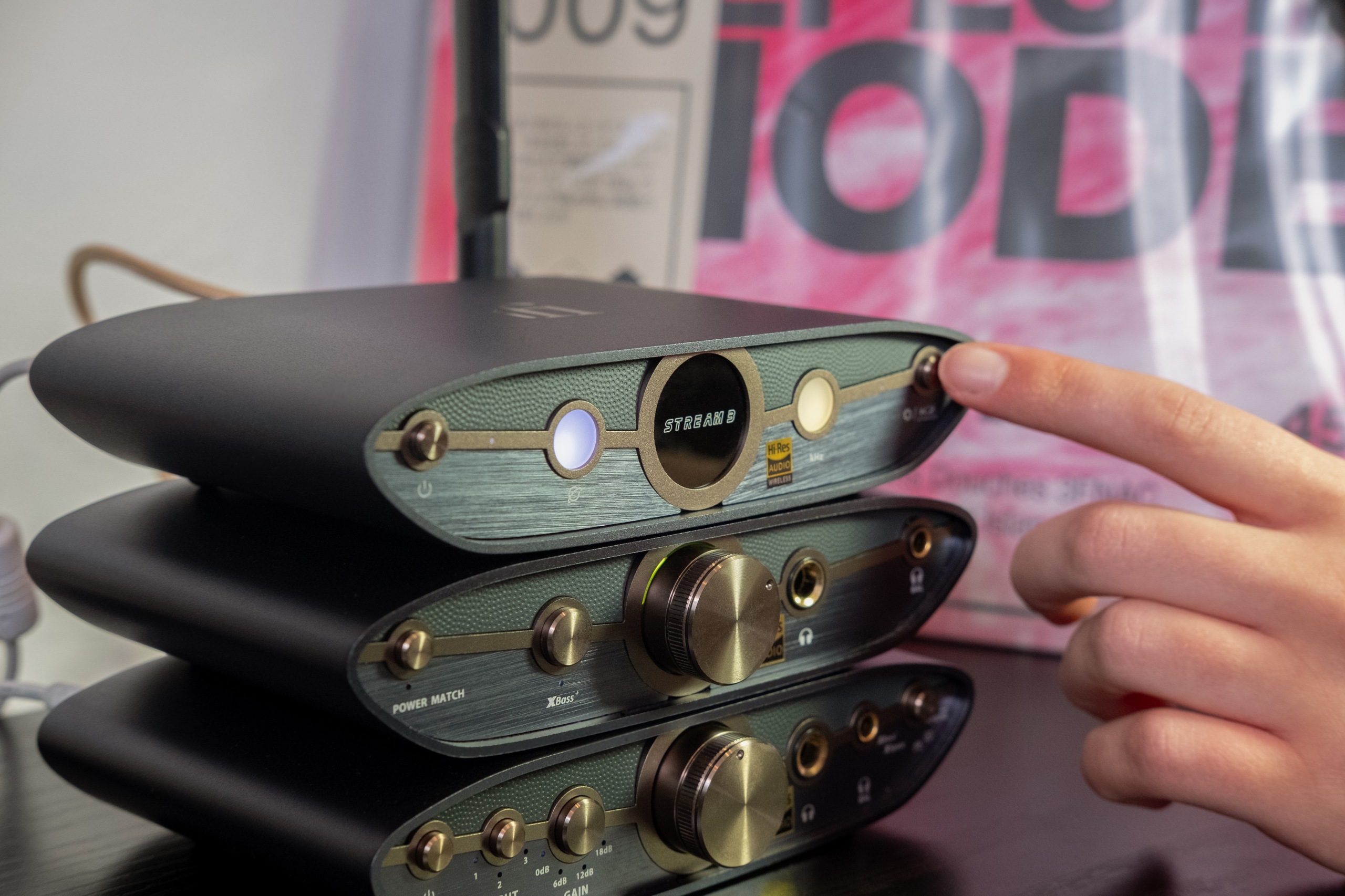
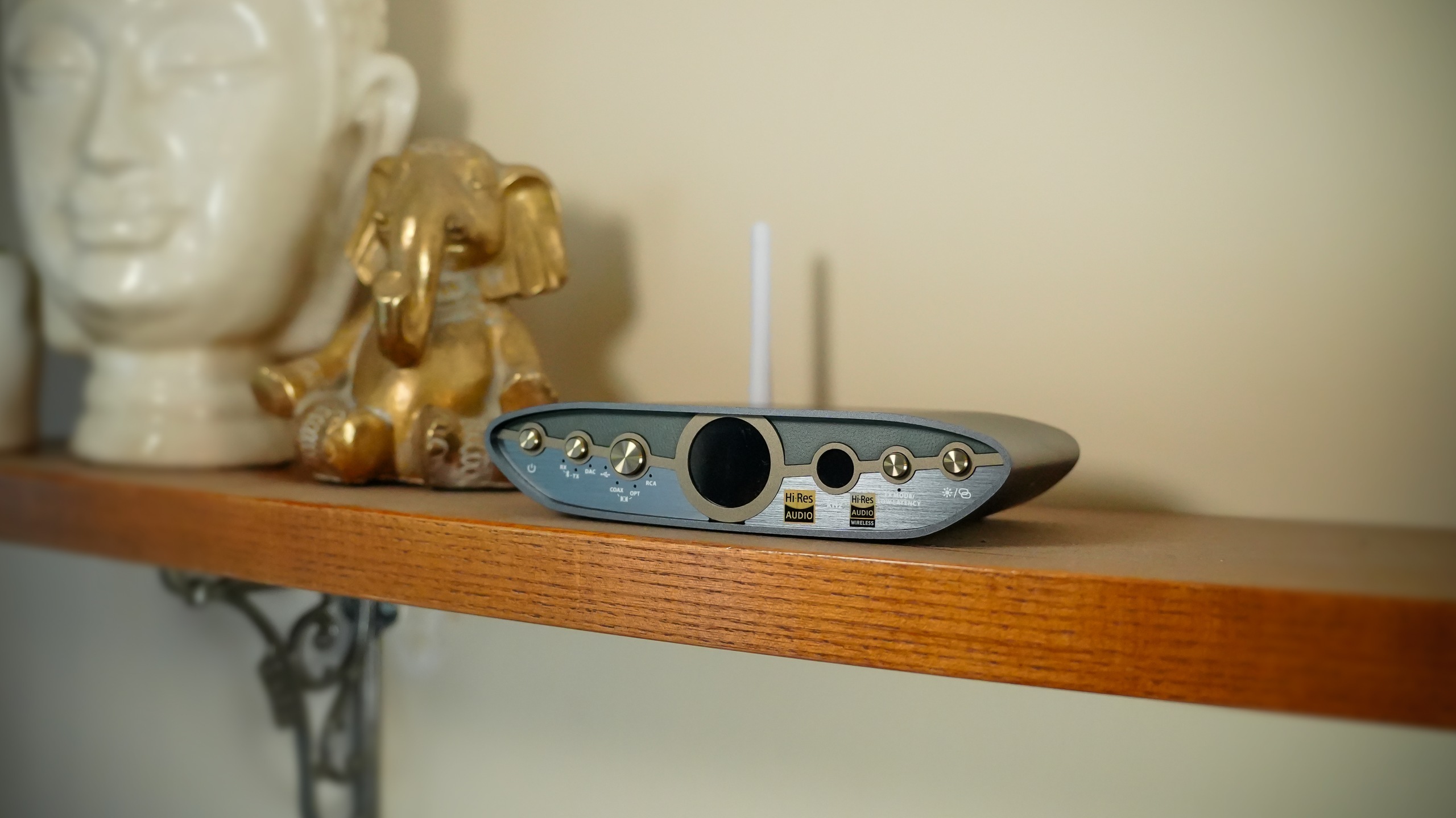
NEO Stream 3

網絡串流播放器・內置 DACNetwork streamer · Built-in DAC

展開使用方式Explore how to use it
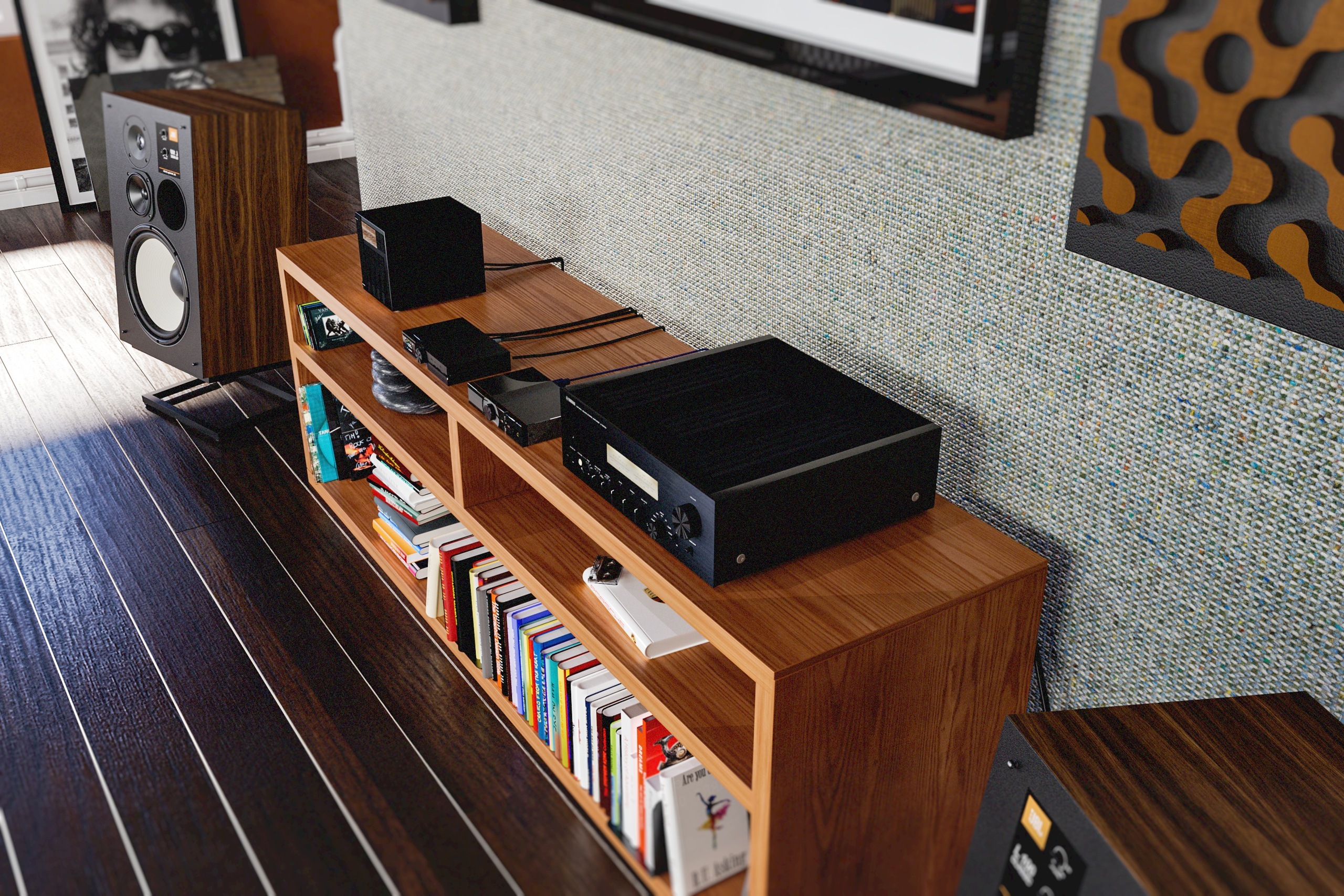
NEO Stream 3 manufacturer system scene

原廠情境圖Manufacturer system scene

接上家居網絡,由手機的串流 App 選歌
內置 DAC 可直接連到有源揚聲器,亦可配合擴音器與被動揚聲器
Connect your home network and choose music in your streaming app
The built-in DAC feeds active speakers, or an amplifier and passive speakers

HK$7,980
產品詳情Product details ↗
Actual iFi product in portable listening
隨身聆聽Portable listening

換一個地方,繼續聽下去A change of scene. Keep listening.

iDSD GR 2 · iDSD GR 2 MT

探索這個系列Explore this family
隨身聆聽Listening Away from home

iDSD GR 2

隨身 USB/Bluetooth DAC・耳機擴音器Portable USB / Bluetooth DAC · Headphone amplifier

換一個地方
繼續聽下去
A change of scene
The same love of music

展開使用方式Explore how to use it
iDSD GR 2 in actual everyday use

咖啡店、旅程途中、靠窗的一個座位
iDSD GR 2 把 USB 與 Bluetooth 播放放在一起,觸控螢幕讓調整更直接
A café, a journey, a seat by the window
iDSD GR 2 brings USB and Bluetooth listening together, with touch controls close to hand

手機/電腦Phone / Computer→USB 或 BluetoothUSB or Bluetooth→iDSD GR 2iDSD GR 2→有線耳機Wired Headphones

內置電池 · 亦可接電腦,作桌面解碼耳擴Built-in battery · Also connects to a computer for desktop listening

HK$4,280
Master Tuned · 2026 新作Master Tuned · New for 2026

iDSD GR 2 MT

Master Tuned 隨身 DAC・耳機擴音器Master Tuned portable DAC · Headphone amplifier

錄音室的耳朵,隨你出發Studio ears, wherever you go

展開使用方式Explore how to use it
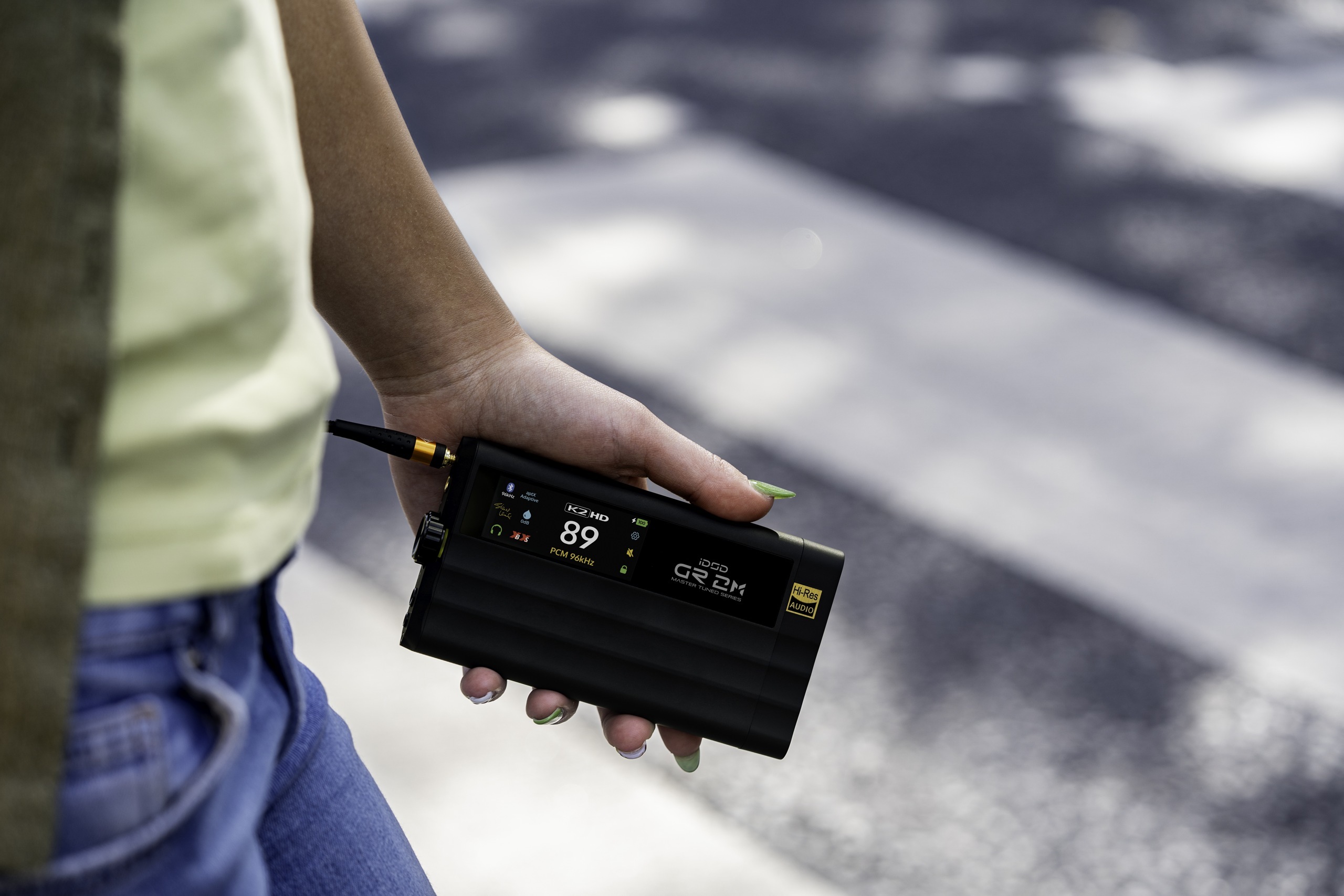
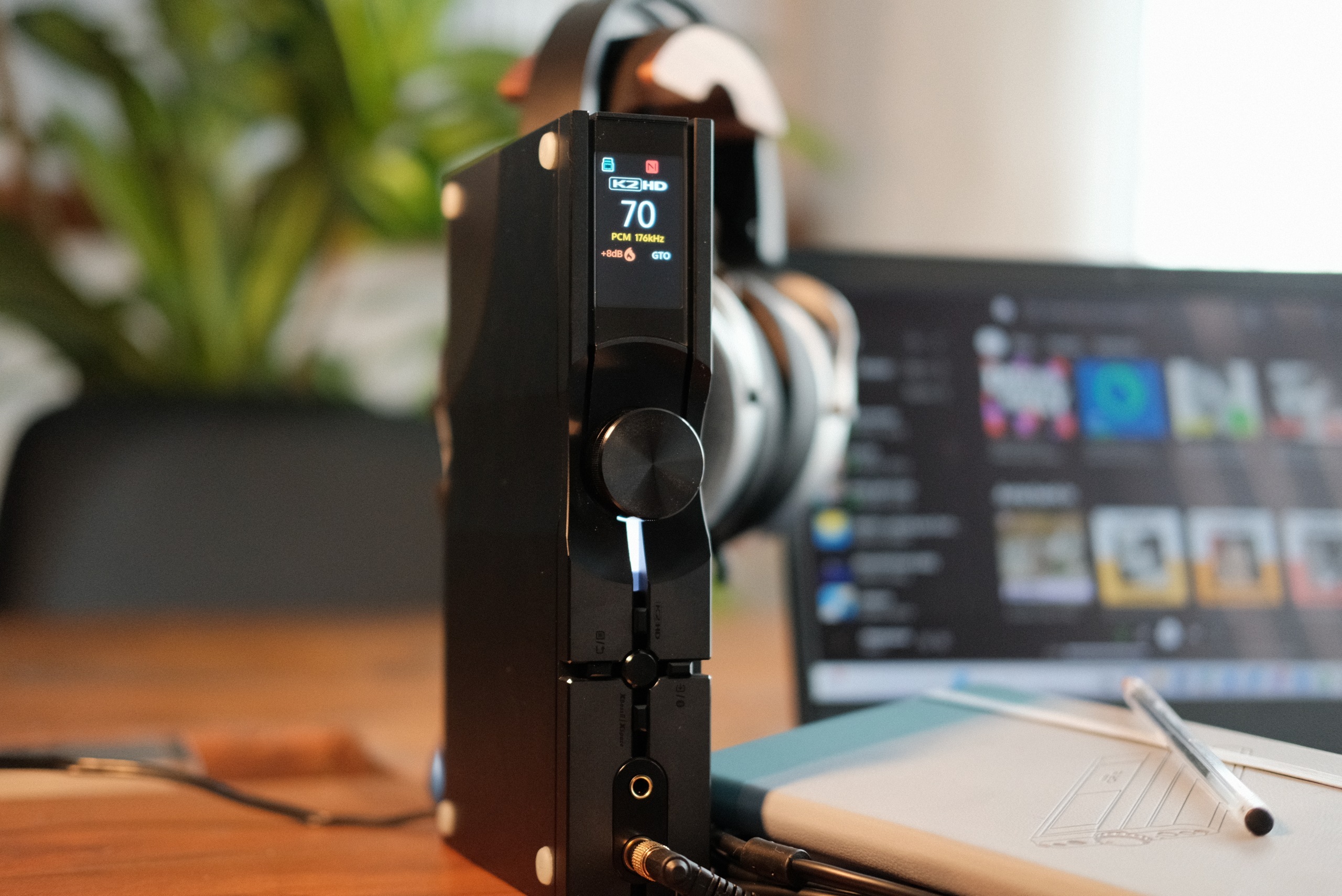
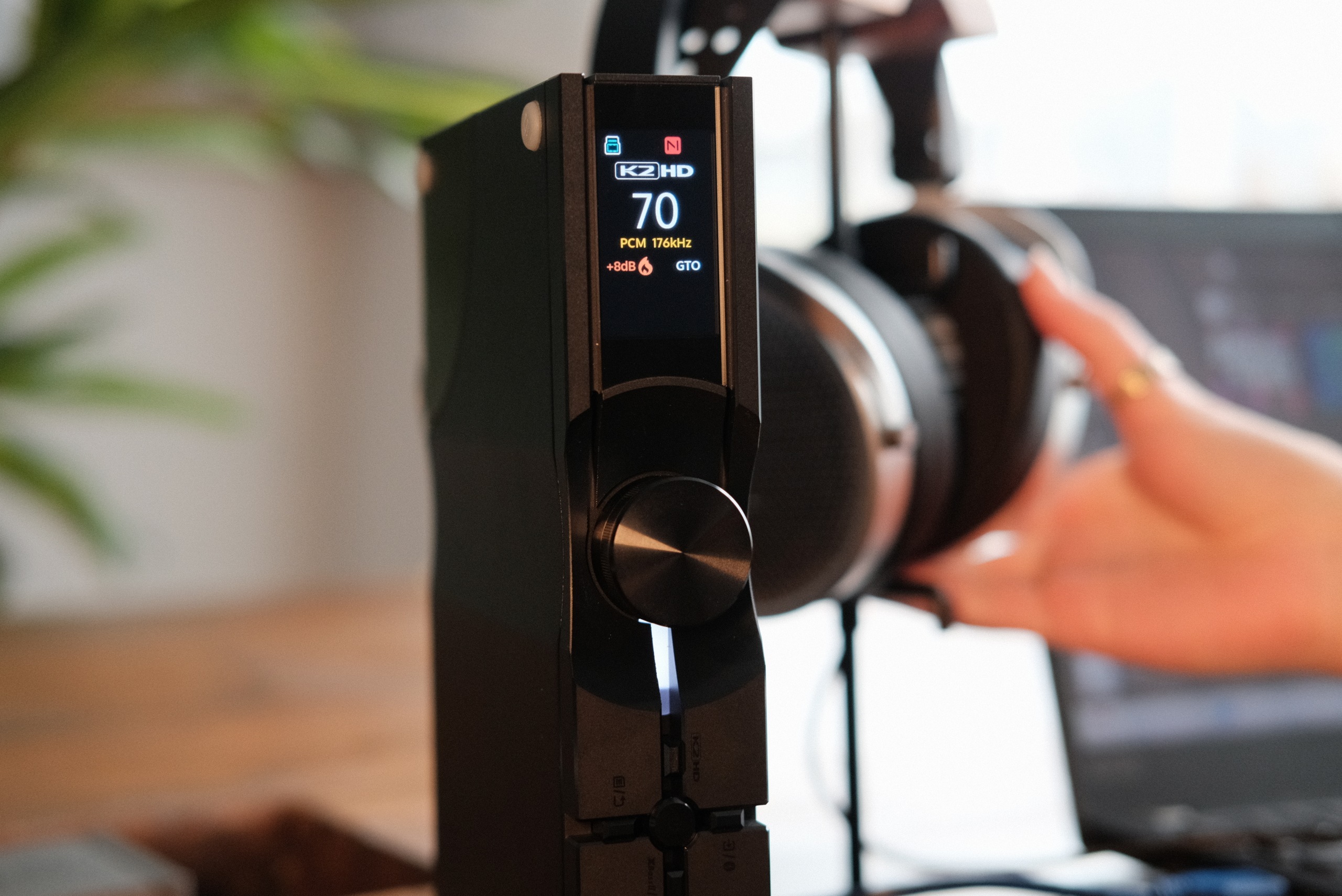
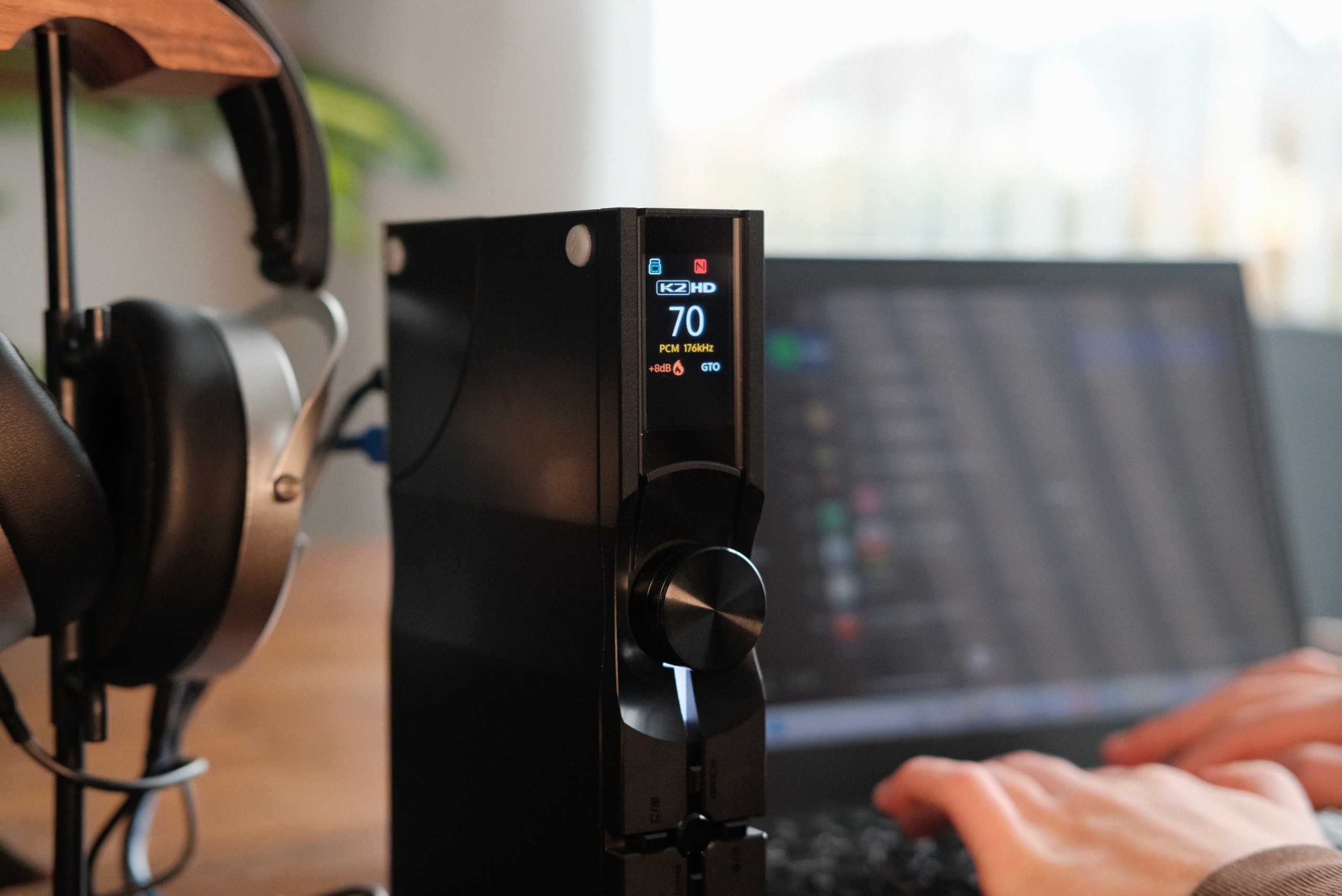
iDSD GR 2 MT in actual everyday use

由英國製作人 Steve Levine 參與調聲,加入兩款專屬數碼濾波器
保留 GR 2 的 USB 與 Bluetooth 隨身用法,讓錄音室的聆聽取向走進每天
British producer Steve Levine helped voice this edition, including two exclusive digital filters
It keeps the GR 2’s USB and Bluetooth portable approach, with a listening perspective shaped in the studio

手機/電腦Phone / computer→USB 或 BluetoothUSB or Bluetooth→iDSD GR 2 MTiDSD GR 2 MT→有線耳機Wired headphones

MT 代表 Master Tuned · 2026 年 10 月 1 日推出 · 與標準 GR 2 為不同版本MT means Master Tuned · Launched 1 October 2026 · A separate edition from standard GR 2

Actual iFi product in phone and wired headphones
手機・有線與無線耳機Phone · Wired and wireless headphones

同一副耳機,更多地方Your headphones, more places.

GO cable · GO link 2 Max · GO blu Air · UP Play Max

探索這個系列Explore this family
USB-C 與兩針入耳式耳機USB-C and two-pin IEMs

GO cable

USB-C DAC 耳機線・兩針 IEM 接口USB-C DAC earphone cable · Two-pin IEM connection

音樂,藏在一條耳機線裏Music, built into your earphone cable

展開使用方式Explore how to use it
GO cable in actual everyday use

把手機接上 USB-C,另一端接到兼容的 0.78mm 兩針入耳式耳機
解碼與耳擴藏在線裏,線控可調音量、控制播放及接聽電話
Connect USB-C to your phone and the other end to compatible 0.78mm two-pin in-ear monitors
The DAC and amplifier live in the cable, with in-line volume, playback and call controls

USB-C 手機USB-C phone→GO cableGO cable→0.78mm 兩針 IEM0.78mm two-pin IEMs

須配合兼容的兩針耳機 · 耳機不包含於單線版本 · 購買頁現列為預訂,交期請向店舖確認Requires compatible two-pin IEMs · Cable-only version excludes earphones · Currently listed for pre-order; confirm timing with the shop

無線連接手機Phone, wirelessly

GO blu Air

Bluetooth 接收器・耳機擴音器Bluetooth receiver · Headphone amplifier

手機留在口袋
音樂隨你走
Phone in your pocket
Music on the move

展開使用方式Explore how to use it
GO blu Air in actual everyday use

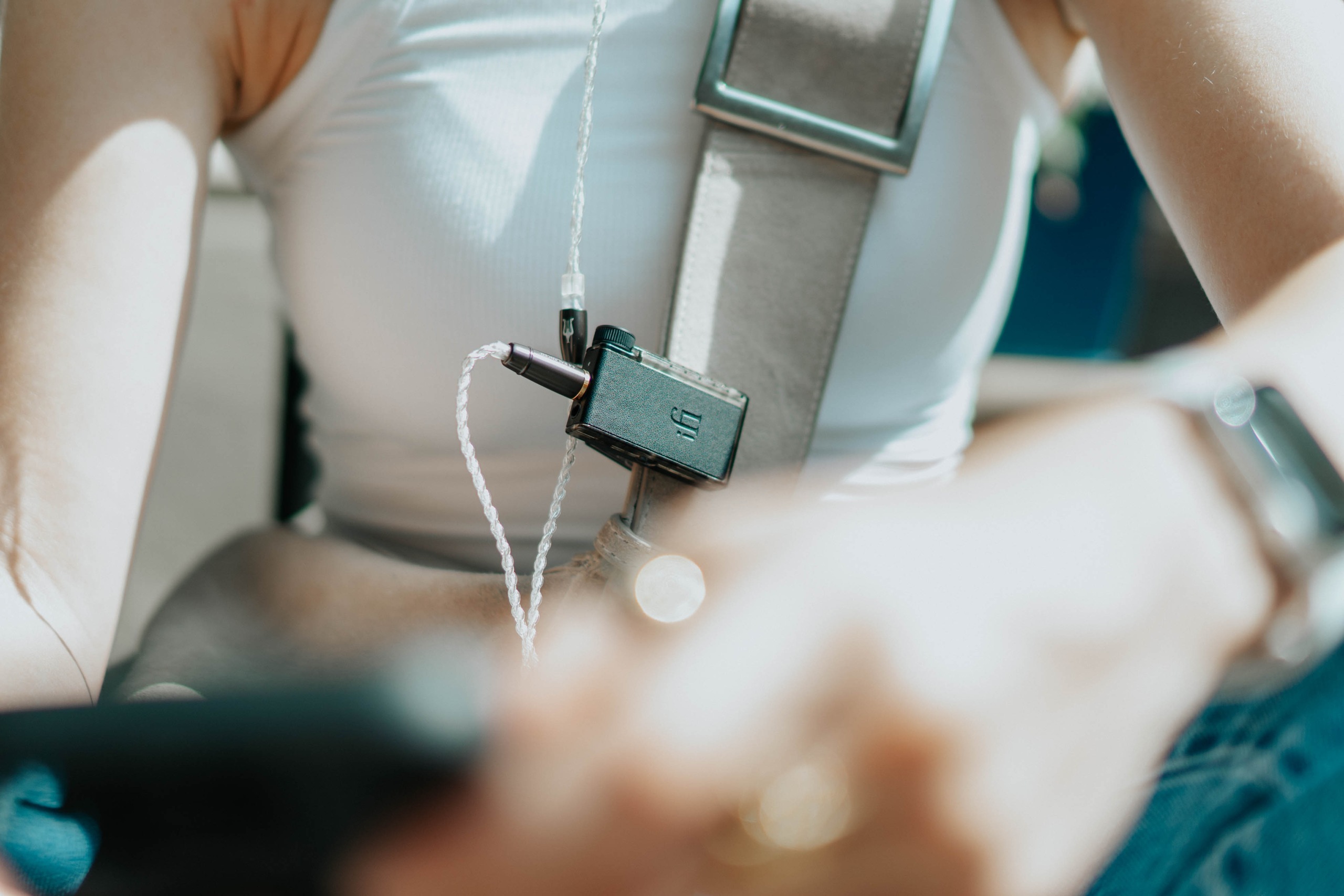
磁吸夾扣在袋帶或衣服上,耳機照用你喜歡的一副
手機以 Bluetooth 連接,小轉盤就能調音量與控制播放
Clip it to your bag or jacket and keep the headphones you love
Your phone connects over Bluetooth; the dial controls volume and playback

手機Phone→BluetoothBluetooth→GO blu AirGO blu Air→有線耳機Wired Headphones

無線的是手機連接,耳機仍然以線接到 GO blu AirThe phone connection is wireless; your headphones still plug into GO blu Air

手機與無線耳機Phone and wireless headphones

UP Play Max

USB-C Bluetooth 音訊發射器USB-C Bluetooth audio transmitter

你喜歡的無線耳機,繼續用Keep the wireless headphones you love

展開使用方式Explore how to use it
UP Play Max in actual everyday use

小小一枚插在手機的 USB-C 接口,把音樂傳送到 Bluetooth 耳機
也可配合電腦使用;支援編碼須由發射端與耳機共同配合
Plug the tiny transmitter into your phone’s USB-C port and send music to Bluetooth headphones
It also works with a computer; the transmitter and headphones must support the same codec

手機/電腦Phone / computer→USB-CUSB-C→UP Play MaxUP Play Max→Bluetooth 耳機Bluetooth headphones

USB 輸入、Bluetooth 輸出 · 有別於接收 Bluetooth 的 GO blu AirUSB input, Bluetooth output · Different from GO blu Air, which receives Bluetooth

Exact upcoming UP Travel MAX supplier product image
飛行聆聽Listening in flight

機上娛樂,用自己的耳機聽In-flight entertainment. Your own headphones.

UP Travel MAX

探索這個系列Explore this family
2026 年 10 月 29 日推出Coming 29 October 2026

UP Travel MAX

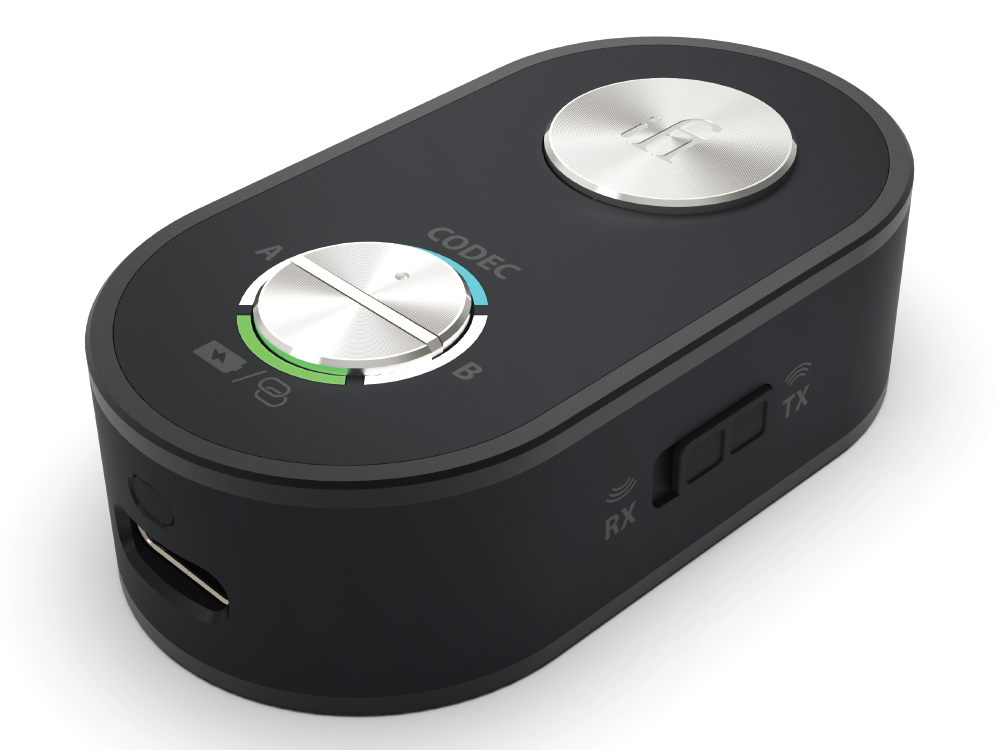
Bluetooth 音訊發射/接收器Bluetooth audio transmitter / receiver

下一段旅程,帶上自己的耳機Your next journey, your own headphones

展開使用方式Explore how to use it
Exact upcoming UP Travel MAX supplier product image

發射模式:以 3.5mm AUX 接到機上娛樂系統,把聲音傳到 Bluetooth 耳機
接收模式:把手機的 Bluetooth 音樂傳到設有 AUX 輸入的汽車音響
Transmit mode: connect a 3.5mm AUX source such as in-flight entertainment to Bluetooth headphones
Receive mode: send Bluetooth music from your phone to a car stereo with an AUX input

機上娛樂 AUXIn-flight AUX→UP Travel MAX · TXUP Travel MAX · TX→Bluetooth 耳機Bluetooth headphones

機上座位的音訊輸出 → 3.5mm AUX → UP Travel MAX(TX 發射)→ 自己的 Bluetooth 耳機
先確認座位的插座形式;非單一 3.5mm 接口須配合相容轉接器,並非所有航班座位相同
Seat audio output → 3.5mm AUX → UP Travel MAX (TX transmit) → Your Bluetooth headphones
Check the seat socket first; outputs other than a single 3.5mm socket require a compatible adapter. Seat connections vary

2026 年 10 月 29 日推出 · 此為原廠產品圖,並非機上實拍Coming 29 October 2026 · Official product image, not an in-flight photograph

NEO SERIES

桌面,留給好音樂Make your desk a listening space

耳機的專注時刻,或家居揚聲器的一整張專輯
兩款 NEO,分別處理桌面解碼與網絡串流
A focused headphone session, or an album through your home speakers
Two NEO models, with distinct roles in desktop conversion and network streaming

NEO iDSD 3 official current-model photograph
USB/Bluetooth DAC・耳機擴音器USB / Bluetooth DAC · Headphone amplifier

NEO iDSD 3

電腦以 USB 接入,或讓手機透過 Bluetooth 連接
耳機接到面板,桌面就有一個專心聽音樂的位置
Connect a computer by USB or a phone over Bluetooth
Plug your headphones into the front and make a place for focused listening

HK$7,980
產品詳情Product details ↗
NEO Stream 3 manufacturer system scene
原廠情境圖Manufacturer system scene
網絡串流播放器・內置 DACNetwork streamer · Built-in DAC

NEO Stream 3

接上家居網絡,由手機的串流 App 選歌
內置 DAC 可直接連到有源揚聲器,亦可配合擴音器與被動揚聲器
Connect your home network and choose music in your streaming app
The built-in DAC feeds active speakers, or an amplifier and passive speakers

HK$7,980
產品詳情Product details ↗
NEO iDSD 3 · A vertical place for your headphones
NEO iDSD 3 · 直立擺放,為耳機留一個位置NEO iDSD 3 · A vertical place for your headphones
NEO iDSD 3 · Pick up your headphones and press play
NEO iDSD 3 · 拿起耳機,開始聆聽NEO iDSD 3 · Pick up your headphones and press play
NEO iDSD 3 · Make your desk a listening corner
NEO iDSD 3 · 讓電腦桌成為聆聽角落NEO iDSD 3 · Make your desk a listening corner
NEO Stream 3 · Home system · Manufacturer system scene
NEO Stream 3 · 家居系統 · 原廠情境圖NEO Stream 3 · Home system · Manufacturer system scene
ZEN SERIES

小小桌面,各有角色A small footprint. A role for every source.

解碼、耳擴、串流、Bluetooth、黑膠
從你現在的音源開始,選擇需要的一件,不必一次擁有全部
Conversion, amplification, streaming, Bluetooth and vinyl
Start with your source and choose the component you need; build at your own pace

ZEN DAC 3 official current-model photograph
USB DAC・耳機擴音器USB DAC · Headphone amplifier

ZEN DAC 3

電腦接上 USB,耳機接到面板
一部小器材,為每天的工作與播放清單留出聲音空間
Connect your computer by USB and headphones at the front
A small component makes room for everyday work and your favourite playlists

HK$1,799
產品詳情Product details ↗
ZEN CAN 3 official current-model photograph
全模擬耳機擴音器・另配音源All-analogue headphone amplifier · External source required

ZEN CAN 3

由 DAC 或其他線路音源輸入,再接上有線耳機
與 ZEN DAC 3 配搭,為桌面耳機系統分工
Feed it from a DAC or another line-level source, then connect wired headphones
Pair with ZEN DAC 3 for a desktop system with separate roles

HK$1,899
產品詳情Product details ↗
ZEN Stream 3 official current-model photograph
網絡串流轉盤・另配 DACNetwork streaming transport · External DAC required

ZEN Stream 3

讓現有 DAC 接上網絡音樂
由 USB 或同軸數碼輸出連接 DAC,再到耳機擴音器或音響系統
Bring network music to the DAC you already love
Use USB or coaxial digital output to your DAC, then your headphone amplifier or hi-fi

HK$3,180
產品詳情Product details ↗
ZEN Blue 3 official current-model photograph
Bluetooth 音訊收發器・DACBluetooth audio transceiver · DAC

ZEN Blue 3

把手機的 Bluetooth 音樂帶到現有音響
亦可切換發射模式,把兼容的有線音源送到 Bluetooth 耳機
Receive music from your phone over Bluetooth for your existing hi-fi
Or switch to transmit mode to send a compatible wired source to Bluetooth headphones

HK$2,399
產品詳情Product details ↗
ZEN Phono 3 official current-model photograph
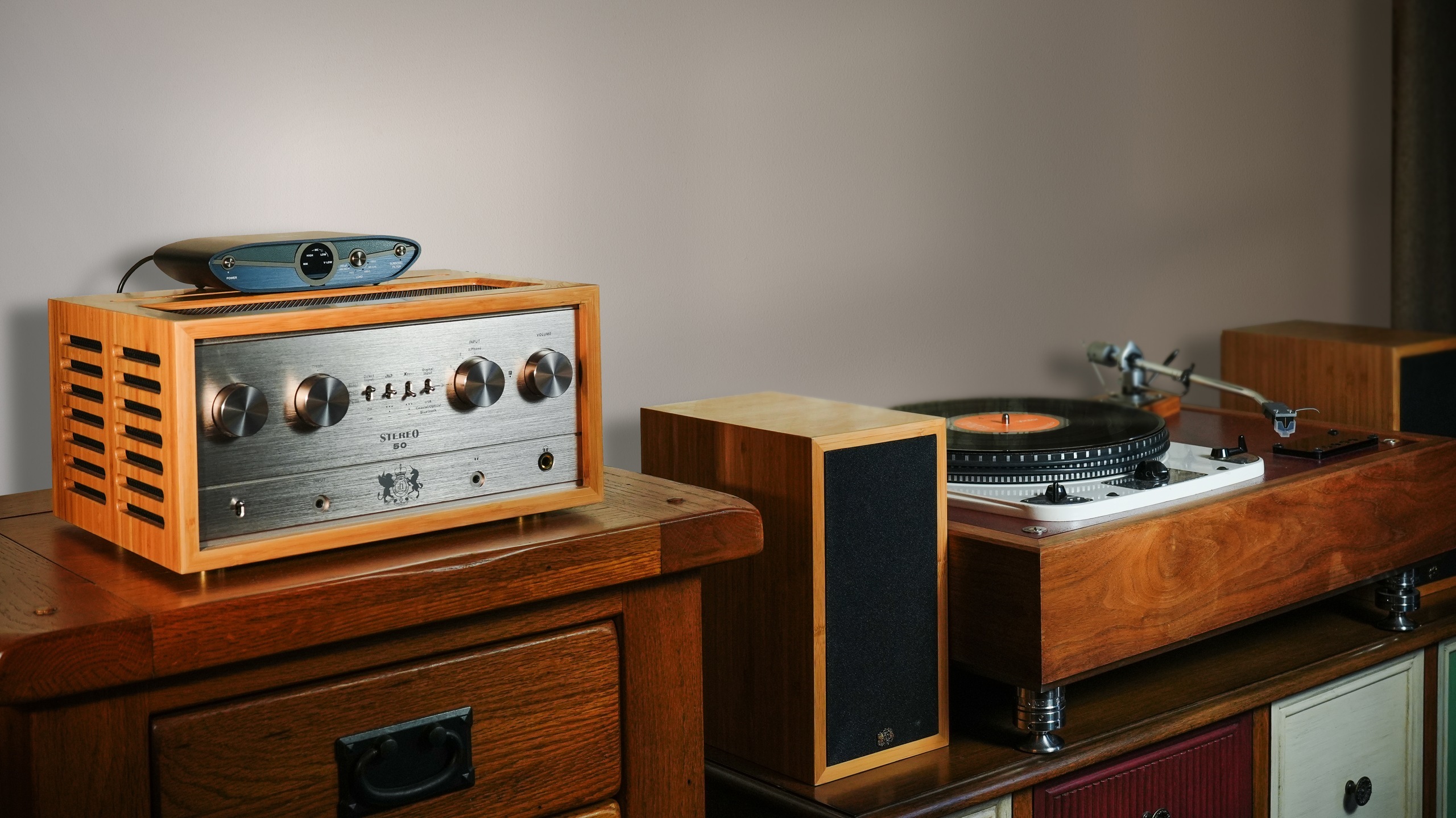
MM/MC 唱頭放大器MM / MC phono stage

ZEN Phono 3

唱盤接到唱放,再接擴音器的線路輸入
按唱頭選擇 MM/MC 增益與負載,讓黑膠走進日常
Connect your turntable to the phono stage, then your amplifier’s line input
Match MM / MC gain and loading to your cartridge and make vinyl part of your day

HK$1,999
產品詳情Product details ↗
按聆聽方式探索Explore the way you listen

從手機,到回家的時刻From your phone to the moment you get home

隨著頁面,走過五種真實聆聽情境Scroll through five ways to make music part of your day

  1. 01 手機直駁Phone, connected
  2. 02 無線連接手機Phone, wirelessly
  3. 03 隨身聆聽Listening Away from home
  4. 04 電腦桌面At your desk
  5. 05 家居聆聽At home
GO link 2 Max in actual everyday listening
GO link 2 Max

一條線,帶著音樂出門Plug in and head out

手機接上 USB-C,耳機接上 GO link 2 Max
在公園坐一會,或把播放清單帶到下一站
Connect your phone by USB-C and plug your headphones into GO link 2 Max
Take a playlist to the park, or on to your next stop

手機Phone→USB-CUSB-C→GO link 2 MaxGO link 2 Max→有線耳機Wired Headphones

由音源裝置供電,毋須為它另行充電Powered by your source device, with no separate battery to charge

了解 GO link 2 MaxExplore GO link 2 Max ↗
GO blu Air in actual everyday listening
GO blu Air

手機留在口袋
音樂隨你走
Phone in your pocket
Music on the move

磁吸夾扣在袋帶或衣服上,耳機照用你喜歡的一副
手機以 Bluetooth 連接,小轉盤就能調音量與控制播放
Clip it to your bag or jacket and keep the headphones you love
Your phone connects over Bluetooth; the dial controls volume and playback

手機Phone→BluetoothBluetooth→GO blu AirGO blu Air→有線耳機Wired Headphones

無線的是手機連接,耳機仍然以線接到 GO blu AirThe phone connection is wireless; your headphones still plug into GO blu Air

了解 GO blu AirExplore GO blu Air ↗
iDSD GR 2 in actual everyday listening
iDSD GR 2

換一個地方
繼續聽下去
A change of scene
The same love of music

咖啡店、旅程途中、靠窗的一個座位
iDSD GR 2 把 USB 與 Bluetooth 播放放在一起,觸控螢幕讓調整更直接
A café, a journey, a seat by the window
iDSD GR 2 brings USB and Bluetooth listening together, with touch controls close to hand

手機/電腦Phone / Computer→USB 或 BluetoothUSB or Bluetooth→iDSD GR 2iDSD GR 2→有線耳機Wired Headphones

內置電池 · 亦可接電腦,作桌面解碼耳擴Built-in battery · Also connects to a computer for desktop listening

了解 iDSD GR 2Explore iDSD GR 2 ↗
ZEN DAC 3 in actual everyday listening
ZEN DAC 3

你的桌面
也可以好好聽歌
Make room for music
on your desk

工作之間,留一點空間給喜歡的專輯
電腦透過 USB 接到 ZEN DAC 3,耳機接到前方,轉動旋鈕便能調整音量
Make space for a favourite album between tasks
Connect your computer by USB, plug headphones into the front, and turn the dial to set your volume

電腦Computer→USB-CUSB-C→ZEN DAC 3ZEN DAC 3→耳機Headphones

RCA 及平衡線路輸出,亦可接到合適的有源喇叭或擴音機RCA and balanced line outputs also connect to suitable active speakers or an amplifier

了解 ZEN DAC 3Explore ZEN DAC 3 ↗
iDSD PHANTOM in actual everyday listening
iDSD PHANTOM

回到家
把整張專輯聽完
Home again
Stay for the whole album

串流、解碼、耳機擴音,集中在一部器材
接上網絡與耳機,為一張值得細聽的專輯留出時間
Streaming, conversion and headphone amplification in one component
Connect your network and headphones, then make time for an album worth staying with

家居網絡Home Network→Ethernet/Wi-FiEthernet / Wi-Fi→iDSD PHANTOMiDSD PHANTOM→耳機Headphones

亦可透過線路輸出接到家居音響系統Line outputs also connect to a home hi-fi system

了解 iDSD PHANTOMExplore iDSD PHANTOM ↗
EISA · 品牌獲獎紀錄The brand’s award record

不同年代,同樣用心聆聽A record of listening well

GO pod exact official EISA 2023–2024 award badge
EISA · 2023–2024

GO pod

Best Mobile DAC

NEO Stream exact official EISA 2023–2024 award badge
EISA · 2023–2024

NEO Stream

Best Streamer

xDSD Gryphon exact official EISA 2022–2023 award badge
EISA · 2022–2023

xDSD Gryphon

Best Mobile DAC

ZEN DAC exact official EISA 2020–2021 award badge
EISA · 2020–2021

ZEN DAC

Best Value DAC

xDSD exact official EISA 2018–2019 award badge
EISA · 2018–2019

xDSD

Best Portable DAC / Headphone Amplifier

nano iDSD exact official EISA 2014–2015 award badge
EISA · 2014–2015

nano iDSD

Best Hi-Fi Accessory

以上徽章均屬獲獎時的確切型號,獎項不轉移到現行後繼型號
原版 ZEN DAC 的獎項並非 ZEN DAC 3 的獎項
Each badge identifies the exact winning model; awards do not transfer to current successors
The original ZEN DAC award applies to ZEN DAC, not ZEN DAC 3

查看 iFi 的 EISA 紀錄Read iFi’s EISA record ↗

英國的音響思考British hi-fi thinking

數碼聆聽,模擬質感Digital listening, analogue character

母帶參考、數碼處理、模擬線路,各有角色Master references, digital processing and analogue circuitry each have a role

  1. 01 模擬母帶Analogue masters
  2. 02 FPGA 處理FPGA processing
  3. 03 真空管線路Valve circuitry
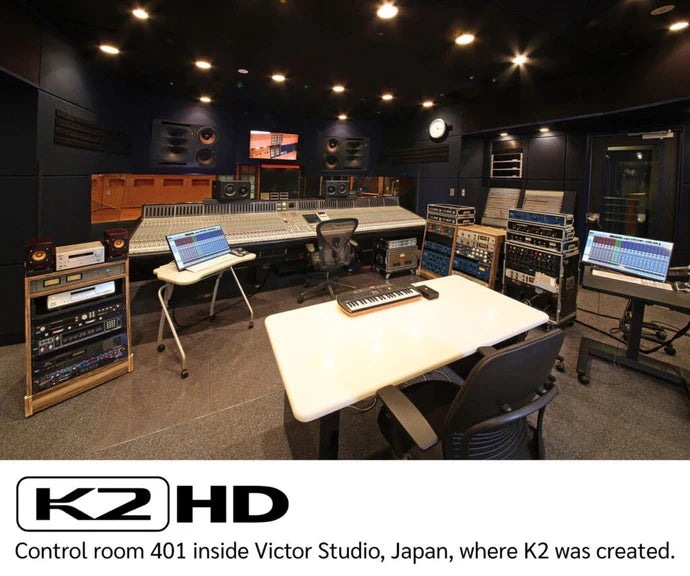
JVCKENWOOD K2HD official photograph
JVCKENWOOD K2HD

錄音室的聆聽參考A studio listening reference

K2HD 的研發,以模擬母帶作聆聽比較
iDSD PHANTOM 與 iDSD GR 2 採用這項技術,著眼於音樂的諧音與質感
K2HD development used listening comparisons with analogue masters
PHANTOM and GR 2 use this technology with a focus on harmonic character and musical texture

圖為日本 Victor Studio · 並非 iFi 的英國研發場所Shown: Victor Studio, Japan · Not iFi’s UK development premises

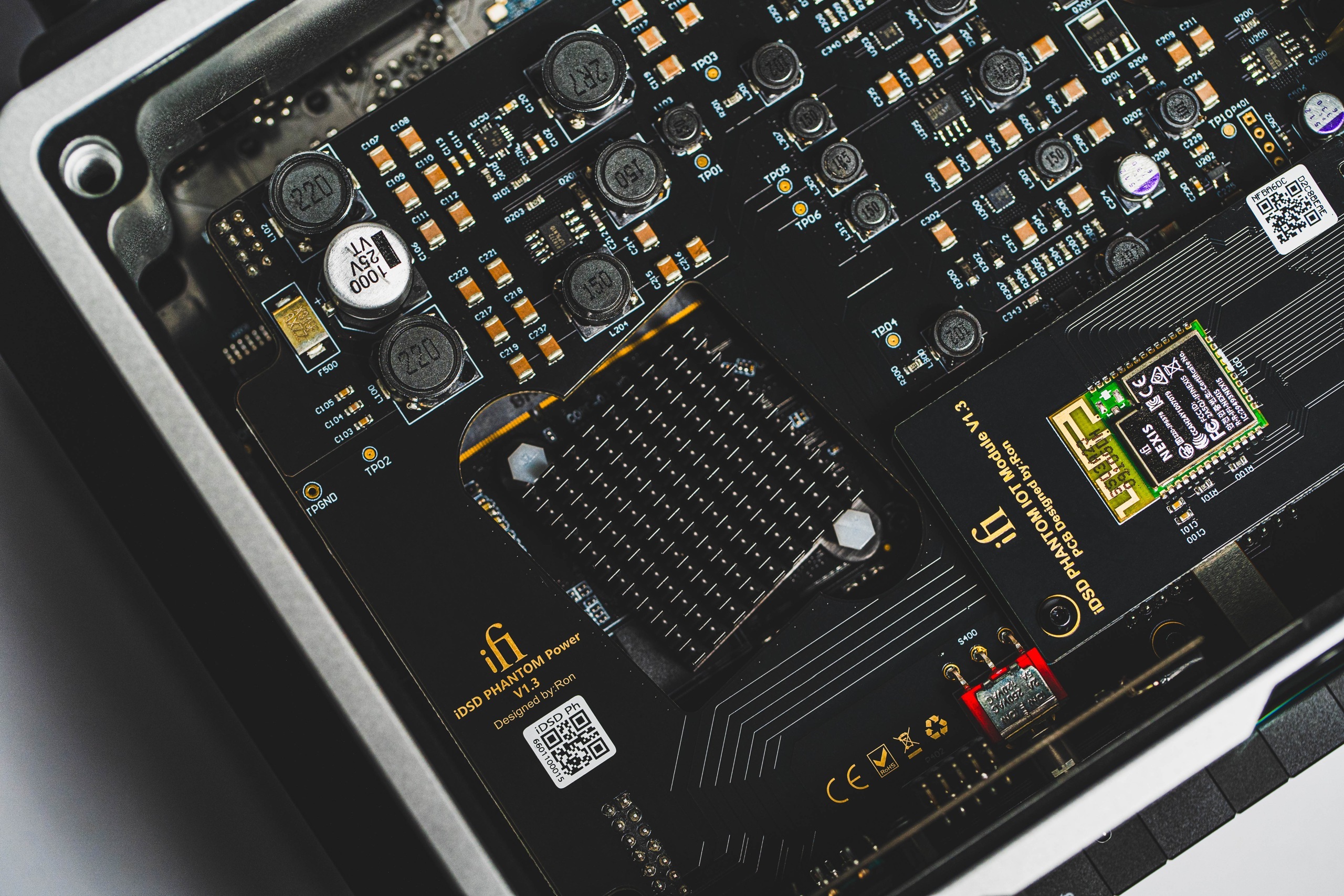
iDSD PHANTOM · Chrysopoeia official photograph
iDSD PHANTOM · Chrysopoeia

先處理,再轉換Processing before conversion

自訂 FPGA 負責 DSD 重製,再交由 Burr-Brown DAC 轉換
這是 iDSD PHANTOM 的數碼處理路徑
A custom FPGA handles DSD remastering before Burr-Brown conversion
This is the digital processing path inside iDSD PHANTOM

數碼重製與模擬輸出級各有角色 · 並非所有 iFi 型號採用同一設計Digital remastering and the analogue output stage have different roles · Designs vary by model

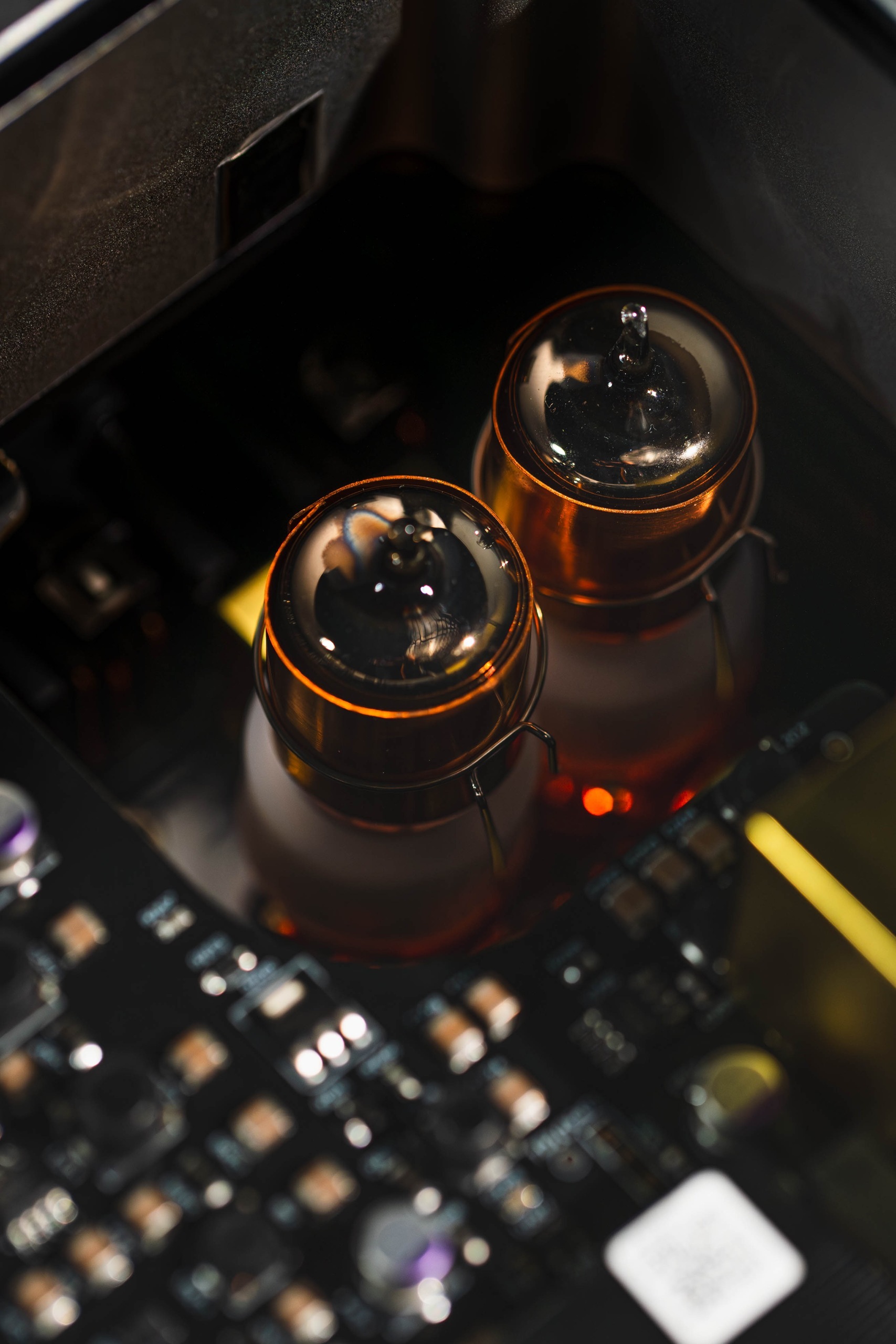
iDSD PHANTOM · Solid-State / Tube / Tube+ official photograph
iDSD PHANTOM · Solid-State / Tube / Tube+

按錄音,選聲音取向Choose a presentation for the recording

晶體管與真空管模式可即時切換
配對 NOS GE5670 真空管,讓你按耳機與個人喜好選擇
Switch between transistor and valve modes in real time
Matched NOS GE5670 valves let you explore the presentation that suits your headphones and taste

適用於 iDSD PHANTOM · 切換示意不模擬或保證實際音效Applies to iDSD PHANTOM · This explorer describes the modes without simulating their sound

你可能想知道A few things to know

iFi 是哪裏的品牌?Where Is iFi From?

iFi 於 2012 年在英國成立,總部位於 Southport
產品把音響電路與數碼技術帶進隨身、桌面及家居聆聽
iFi was established in 2012 and is headquartered in Southport, UK
Its products bring hi-fi circuitry and digital technology into portable, desktop and home listening

iFi 的設計從甚麼出發?What guides iFi’s design?

iFi 的英國設計及研發,把音響電路與數碼技術帶進日常聆聽
從手機、耳機到桌面與家居系統,按實際使用方式選擇合適器材
Designed and engineered in Great Britain, iFi brings hi-fi circuitry and digital technology into everyday listening
Choose around how you use your phone, headphones, desk and home system

想繼續用有線耳機,手機應怎樣接?How Do I Keep Using My Wired Headphones?

想直接接 USB-C,可選 GO link 2 Max
想讓手機留在口袋,可用 GO blu Air 接收 Bluetooth,再插上有線耳機
Choose GO link 2 Max for a direct USB-C connection
Choose GO blu Air to receive Bluetooth from your phone, then plug in your wired headphones

GO blu Air 是無線耳機嗎?Is GO blu Air a Pair of Wireless Headphones?

它是隨身 Bluetooth 解碼耳擴,並非耳機
手機以 Bluetooth 連接,耳機以 3.5mm 或 4.4mm 插頭接到器材
It is a portable Bluetooth DAC and headphone amplifier
Your phone connects by Bluetooth; headphones plug into its 3.5mm or 4.4mm socket

GO link 2 Max 需要充電嗎?Does GO link 2 Max Need Charging?

毋須另行充電,GO link 2 Max 由接上的 USB 音源裝置供電
使用時會消耗手機或電腦的電量
It takes power from the connected USB source, so it needs no separate charging
It uses power from your phone or computer while playing

iPhone 可以用嗎?Can I Use These Products with an iPhone?

UP Play Max 專為手機的無線聆聽而設,可接 USB-C iPhone(iPhone 15 或之後的機款)及兼容的 USB-C Android 手機,再把音訊傳到 Bluetooth 耳機
想用有線耳機,可選 GO link 2 Max;GO cable 則配合兼容的 0.78mm 兩針 IEM。Lightning iPhone 不可直接插上 USB-C 型號
UP Play Max is designed for wireless listening from your phone: connect a USB-C iPhone (iPhone 15 or later) or a compatible USB-C Android phone, then transmit audio to Bluetooth headphones
For wired headphones, choose GO link 2 Max; GO cable connects compatible 0.78mm two-pin IEMs. USB-C models do not plug directly into a Lightning iPhone

USB 與 Bluetooth 應怎樣選?Should I Use USB or Bluetooth?

USB 適合直接連接手機或電腦
Bluetooth 讓手機與耳擴分開擺放;實際編碼支援由兩端裝置共同決定
USB suits a direct phone or computer connection
Bluetooth lets you keep phone and amplifier apart; codec support depends on both devices

iDSD GR 2 可在桌面使用嗎?Can iDSD GR 2 Also Work on a Desk?

可以,iDSD GR 2 有 USB 輸入及耳機輸出
隨身時用內置電池,回到桌面亦可接電腦聆聽
Yes, iDSD GR 2 has USB input and headphone outputs
Its built-in battery suits portable use; it also connects to a computer at your desk

每部 iFi 都有真空管及 FPGA 嗎?Does Every iFi Have Valves and an FPGA?

不是,這頁的真空管切換與 Chrysopoeia FPGA 介紹以 iDSD PHANTOM 為例
各型號採用不同線路,K2HD 亦只適用於指定型號
No, the valve modes and Chrysopoeia FPGA described here refer to iDSD PHANTOM
Different models use different circuitry; K2HD is also model-specific

在香港怎樣選擇合適型號?How Do I Choose a Model in Hong Kong?

先按聆聽地方、手機連接方式與耳機插頭選擇
雅詠音響是 iFi 香港及澳門官方代理,可透過 WhatsApp 查詢配搭
Start with where you listen, your phone connection and your headphone plug
Aria Audio is iFi’s official Hong Kong and Macau distributor; ask about matching on WhatsApp

WhatsApp ↗

香港及澳門Hong Kong and Macau

購買,也可以先聽聽Come closer. Have a listen.

雅詠與合作店舖,協助你選擇與配搭
點擊地址打開地圖,指定型號的供應與試聽請先向店舖查詢
Aria and our retail partners can help with choosing and matching
Open an address in Maps; ask the shop about your model’s availability and listening arrangements

從你喜歡的音樂開始Start with the music you love

帶著你的耳機與聆聽習慣,選一部適合每天使用的 iFiBring your headphones and your listening habits to the conversation