
{{ 'fb_in_app_browser_popup.desc' | translate }} {{ 'fb_in_app_browser_popup.copy_link' | translate }}

{{ 'in_app_browser_popup.desc' | translate }}

Your Shopping Cart is empty.
{{ (item.variation.media ? item.variation.media.alt_translations : item.product.cover_media.alt_translations) | translateModel }} {{ (item.variation.media
                    ? item.variation.media.alt_translations
                    : item.product.cover_media.alt_translations) | translateModel
                }}
{{ 'product.bundled_products.label' | translate }}
{{ 'product.bundle_group_products.label' | translate }}
{{ 'product.buyandget.label' | translate }}
{{ 'product.gift.label' | translate }}
{{ 'product.addon_products.label' | translate }}
{{item.product.title_translations|translateModel}}
{{ field.name_translations | translateModel }}
  • {{ childProduct.title_translations | translateModel }}

    {{ getChildVariationShorthand(childProduct.child_variation) }}

{{ 'product.set.open_variation' | translate }}
  • {{ getSelectedItemDetail(selectedChildProduct, item).childProductName }} x {{ selectedChildProduct.quantity || 1 }}

    {{ getSelectedItemDetail(selectedChildProduct, item).childVariationName }}

{{item.variation.name}}
{{item.quantity}}x {{ item.unit_point }} Point
{{addonItem.product.cover_media.alt_translations | translateModel}}
{{ 'product.addon_products.label' | translate }}
{{addonItem.product.title_translations|translateModel}}
{{addonItem.quantity}}x {{ mainConfig.merchantData.base_currency.alternate_symbol + "0" }}
設計預覽 · 白色科技風格Design Preview · White Technology StyleEnglish
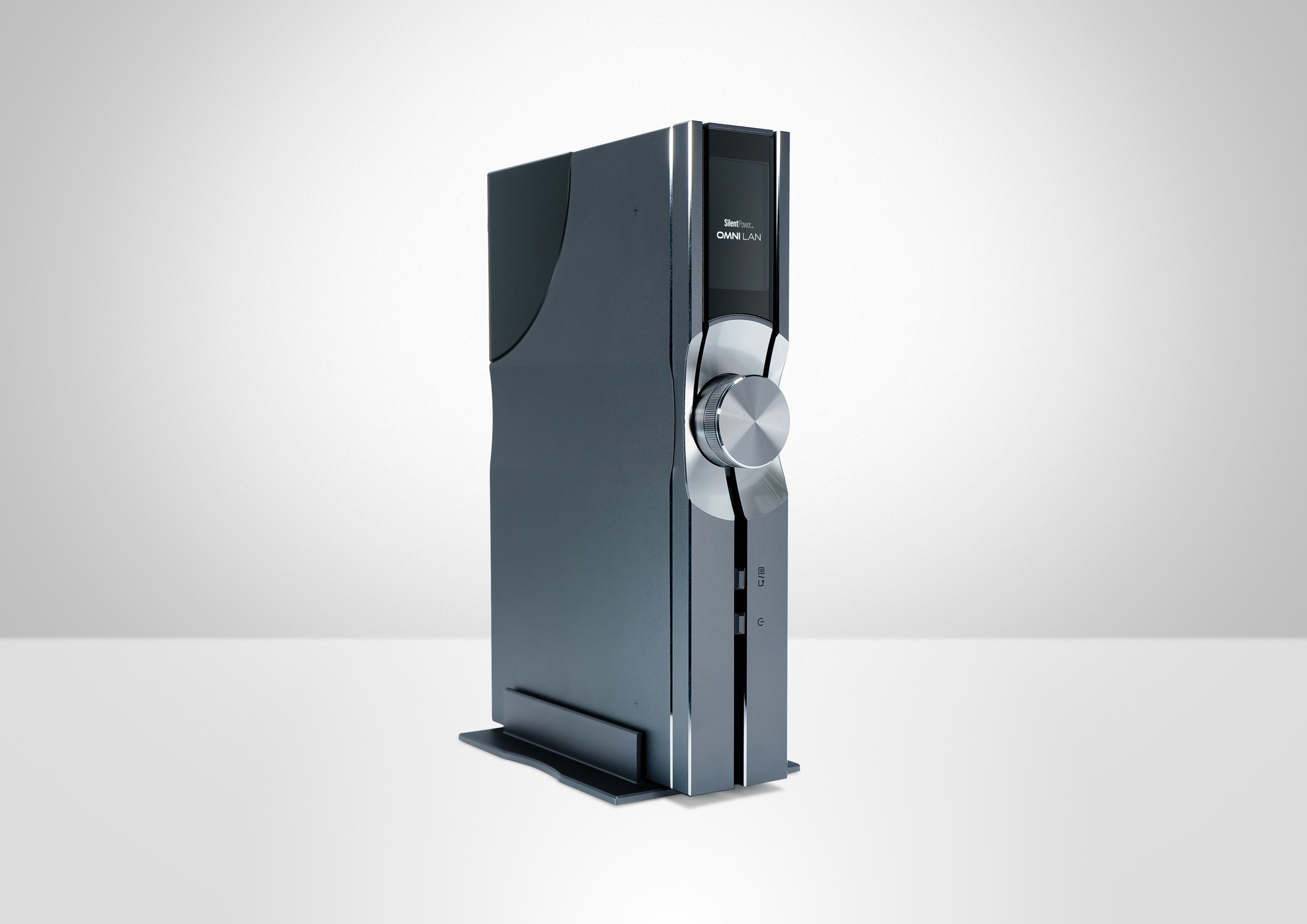
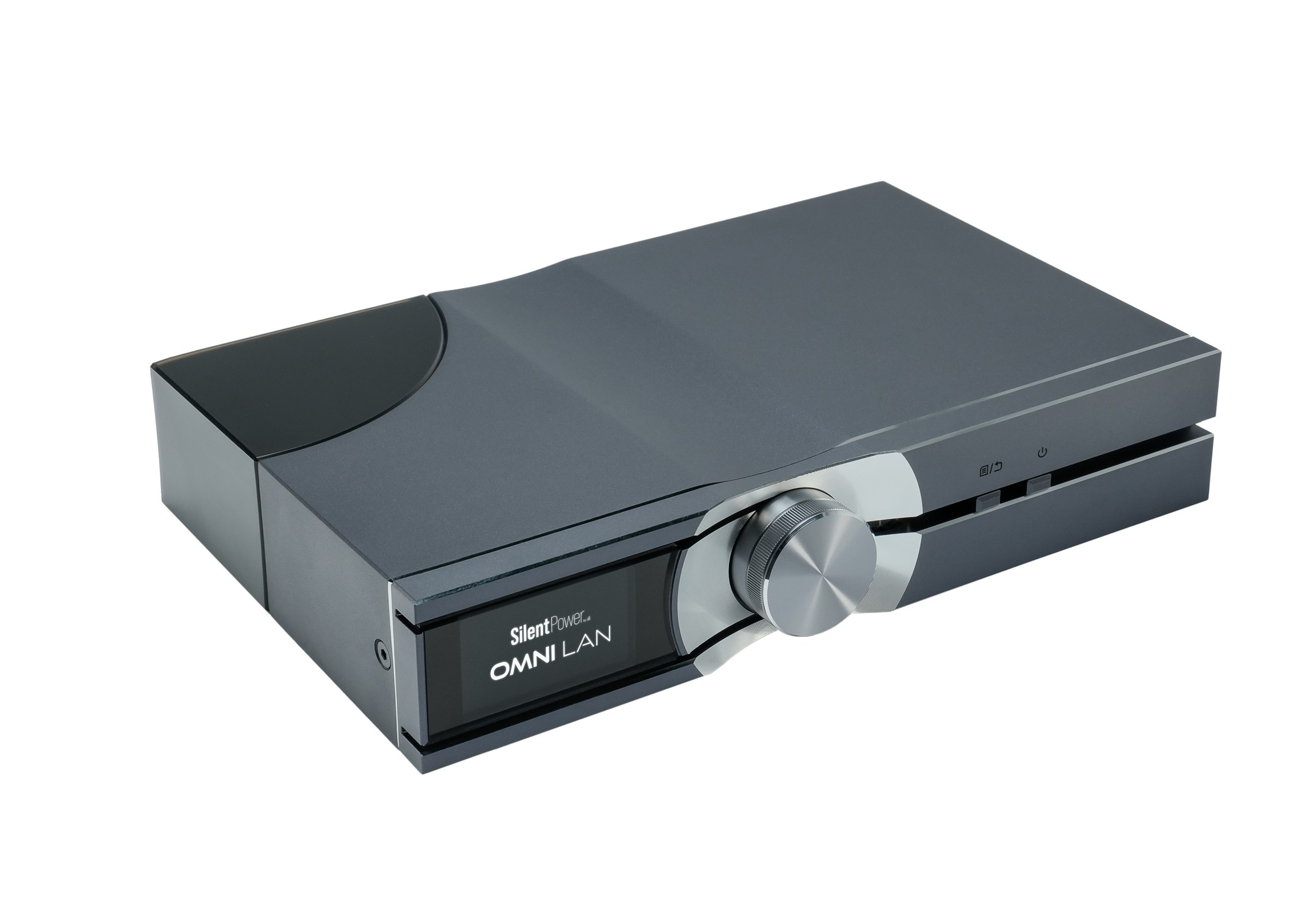
Original manufacturer studio photograph of SilentPower OMNI LAN
英國音響科技 · The Power Of SilenceBritish Audio Engineering · The Power Of Silence

隔開干擾
讓音樂自然流動
Less Interference
More of the Music

從電源到訊號連接
以小巧而精密的科技,照顧音樂重播的每一條路徑
From power to signal connections
Compact, precise engineering for the paths that carry your music

OMNI LAN 光電隔離網絡交換器Original Manufacturer Photography · OMNI LAN Optically Isolated Network Switch

英國品牌 · 音響工程背景British Brand · Audio Engineering Roots

精密科技
各有任務
Precise Engineering
A Clear Purpose

SilentPower 把英國音響工程的思考,延伸到供電與器材連接
音樂最終由模擬電路送往耳機與揚聲器;小巧的裝置,照顧這個運作環境中的不同干擾
SilentPower extends British audio engineering to power and component connections
Music ultimately reaches headphones and speakers through analogue circuitry; compact devices address different sources of interference around that process

01

雜訊從哪裏進入系統?Where Does Noise Enter?

先看電源、網絡與接地三條路徑
再選擇針對相應干擾的科技
Start with the mains, network and grounding paths
Then match the technology to the interference

圖 1|原理示意 · 非接線指示或實測數據Figure 1 · Concept only, not wiring instructions or measured data

雅詠音響原創影片An Original Film by Aria Audio

把原理,放進實際系統See the Principle in a Real System

由雅詠音響拍攝,講解音響電源處理與 SilentPower 的使用方式
先看原理,再看實際示範
Filmed by Aria Audio, exploring audio power treatment and how to use SilentPower
From the principle to a practical demonstration

英國 iFi Silent Power 3 款熱門產品實測
AC iPurifier 2 怎麼用最有效?
iFi Silent Power: Three Popular Products Demonstrated
How to Use AC iPurifier 2 Effectively

在 YouTube 觀看原片Watch the Original on YouTube ↗
02

小巧裝置,精密處理Small Devices, Precise Work

在系統之外處理干擾
把聆聽的注意力留給音樂本身
Address interference around the system
Keep your attention on the music

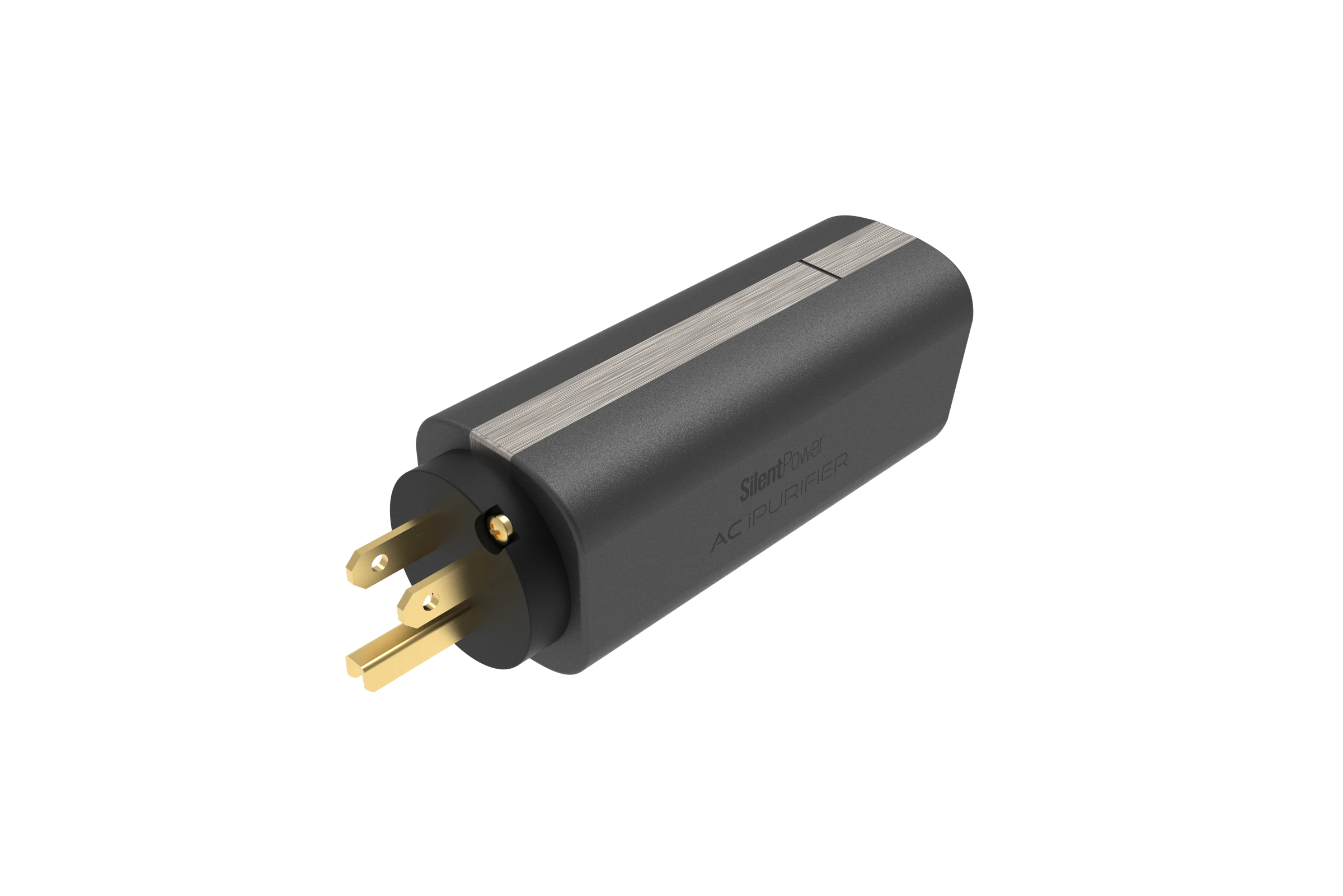
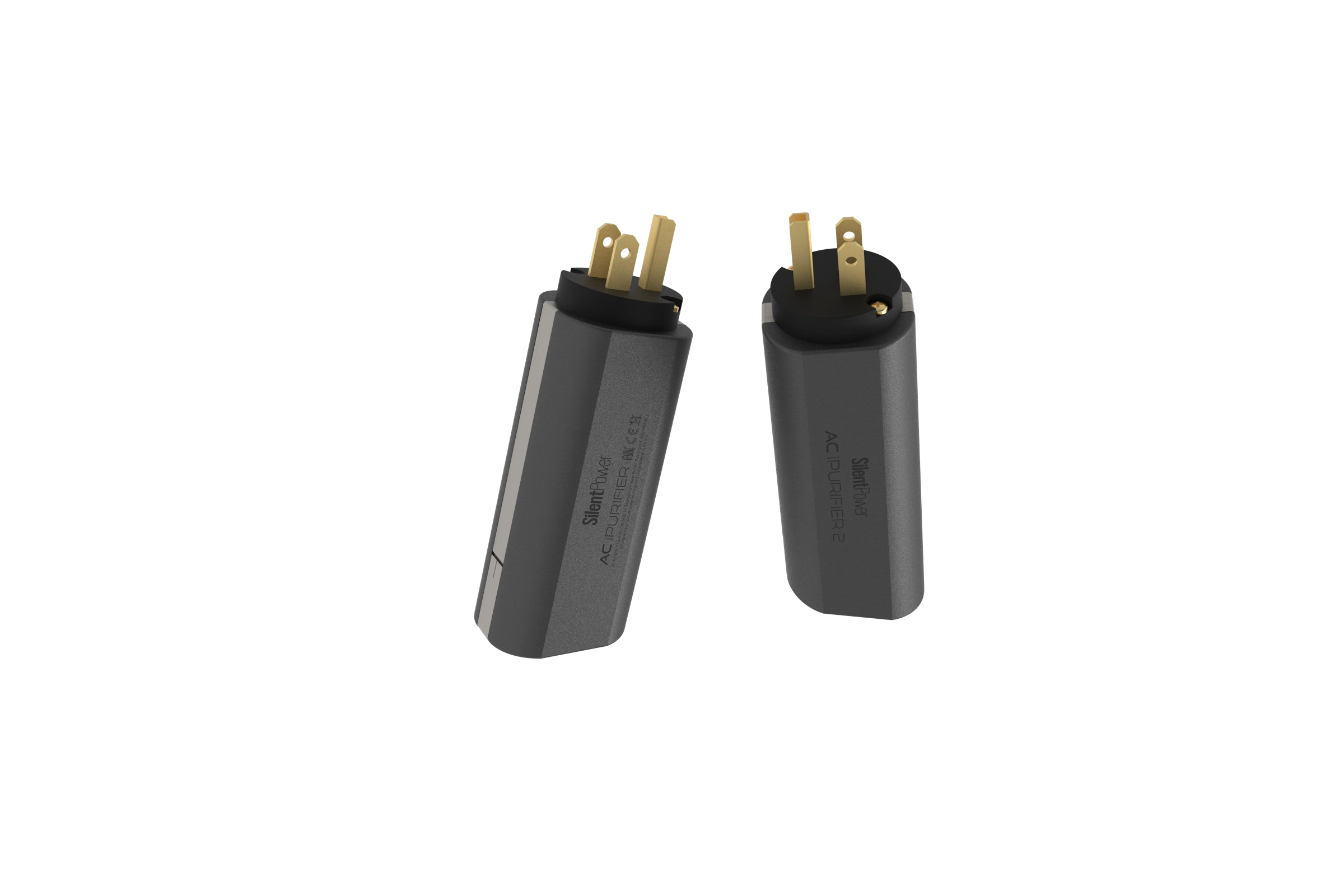
AC iPurifier 2 rear and side render
AC iPurifier 2 · US 版本US Version
AC iPurifier 2

反相信號
主動抵消干擾
An Opposing Signal
Active Noise Reduction

ANC III 產生與噪音反相的電氣訊號
以並聯方式針對電源線上的 EMI/RFI
ANC III produces an electrical signal with the opposite phase to the noise
It operates in parallel, targeting mains-borne EMI/RFI

ANC III主動降噪電路Active Cancellation
並聯Parallel供電不串聯穿過裝置Power Does Not Pass through It
127mm原廠標示長度Specified Length
SilentPower AC iPurifier 2 產品詳情SilentPower AC iPurifier 2 Details ↗
LAN iPurifier Pro

讓資料通過
讓電氣路徑分開
Let Data through
Separate the Electrical Path

訊號在機內經歷電 → 光 → 電的轉換
光跨過隔離段,兩側無直接電氣連接
再以主動電路重整輸出訊號
Inside the unit, the signal travels from electricity to light and back
Light crosses the isolation section without a direct electrical connection
Active circuitry then regenerates the output signal

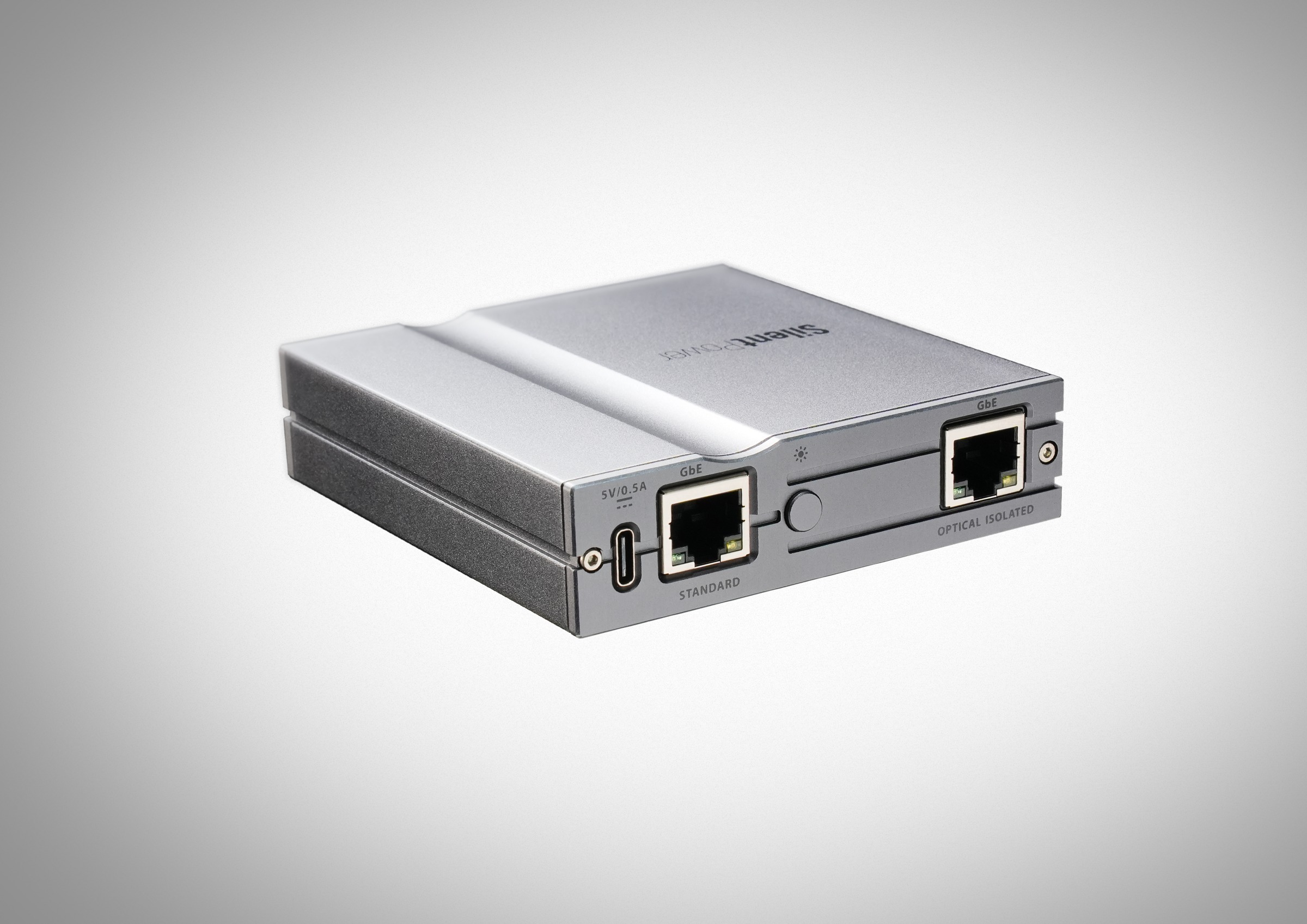
LAN iPurifier Pro 連接網絡器材
光電轉換在機內完成,外接仍使用 Ethernet
Original photograph: LAN iPurifier Pro with network equipment
Conversion is internal; external connections remain Ethernet

LAN iPurifier Pro connected between network equipment
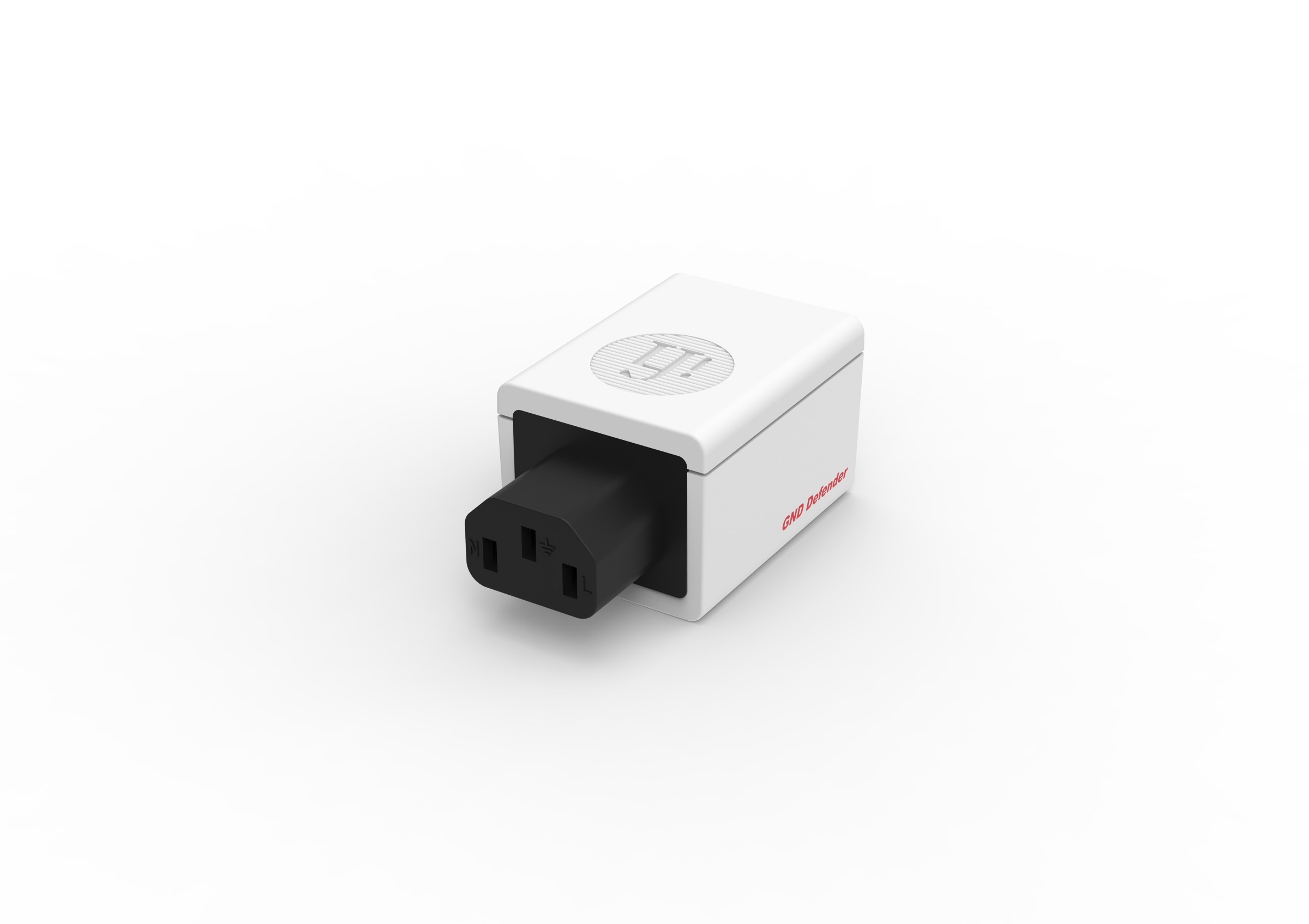
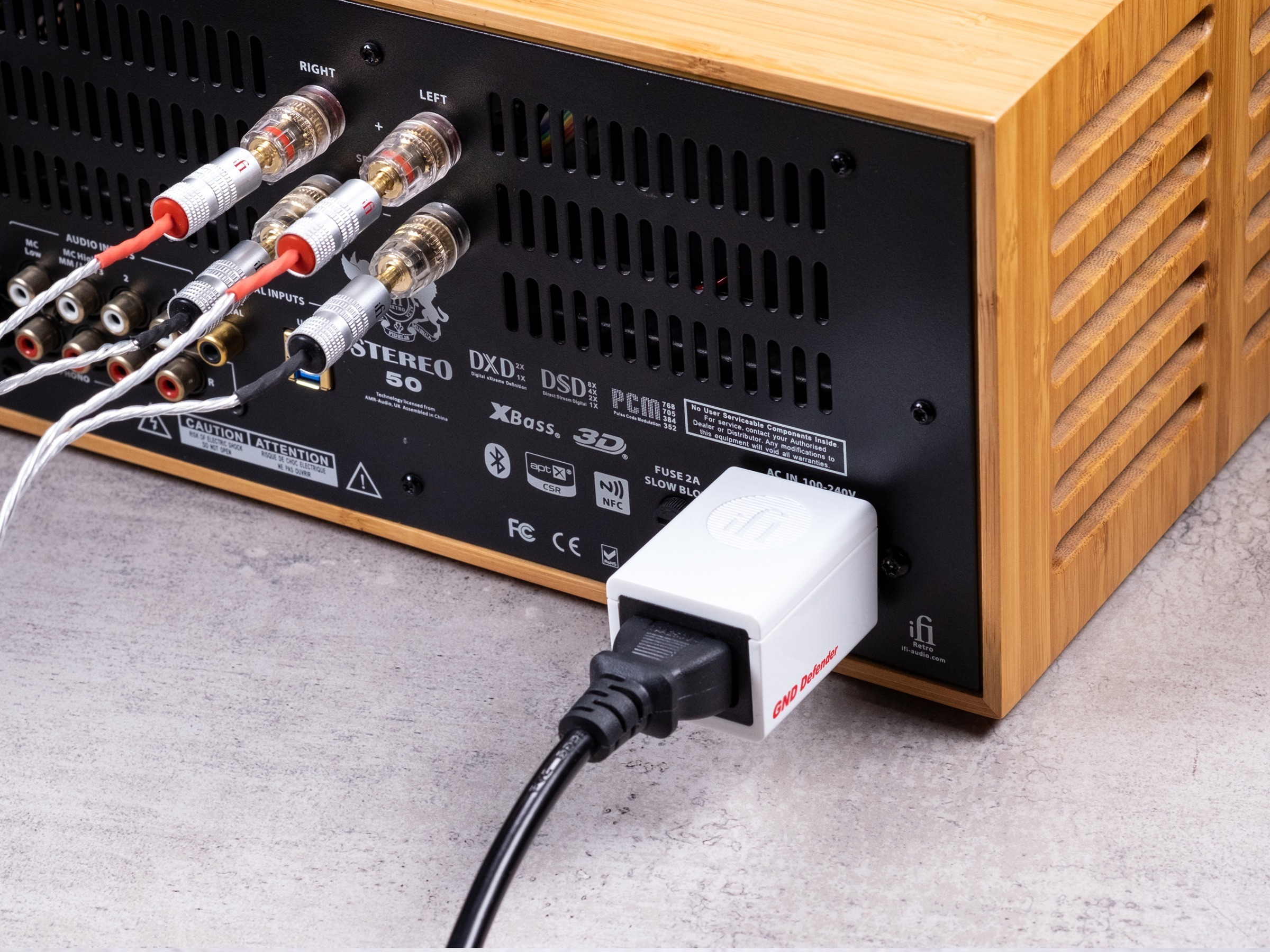
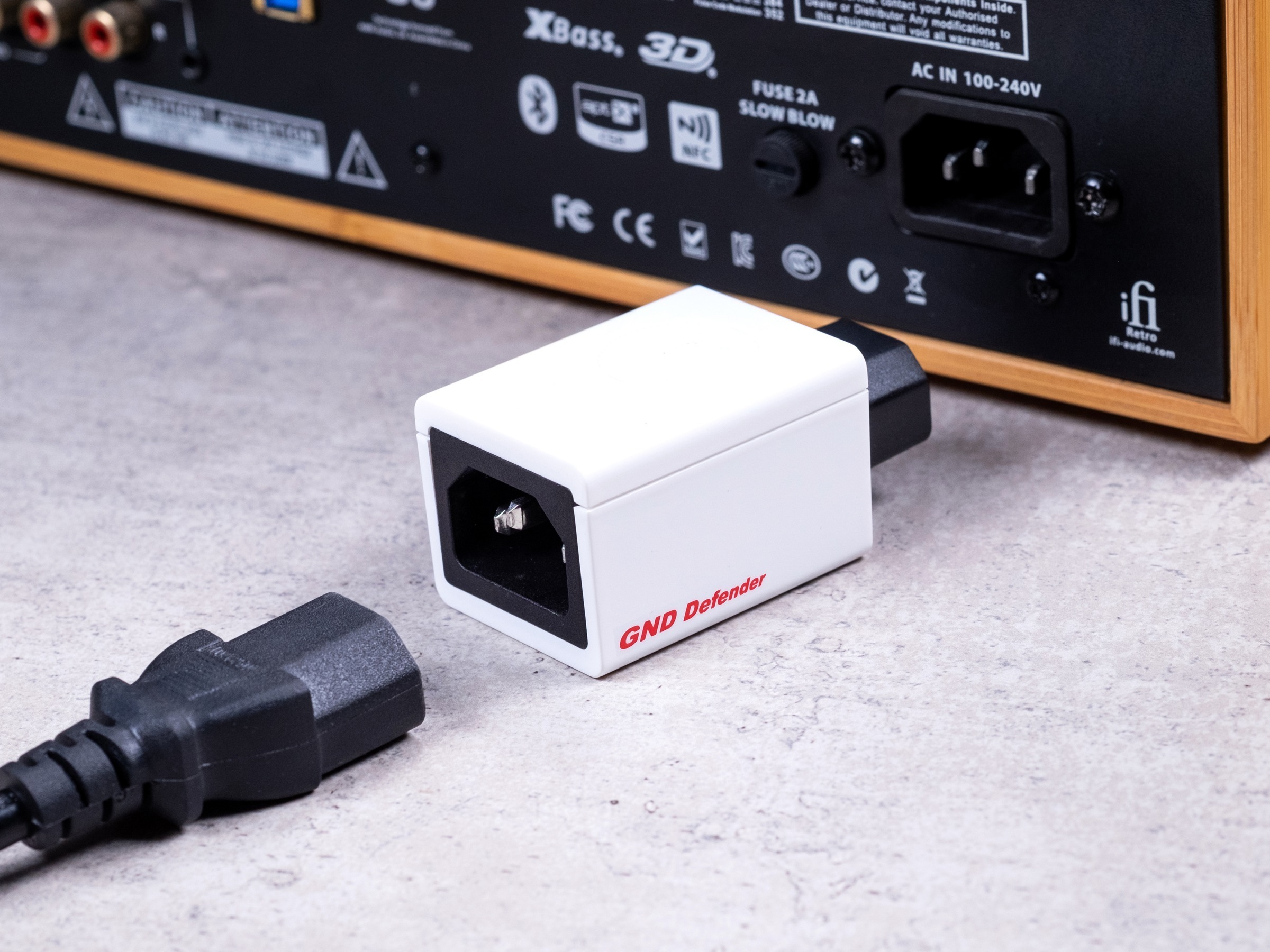
GND Defender beside a component IEC input
器材 IEC 電源接口安裝Original photograph · Installed at the component IEC mains input
GND Defender

針對迴路
保留接地保護
Address the Loop
Preserve Earth Protection

多條接地路徑可能形成迴路及嗡聲
GND Defender 處理 DC 接地迴路,保留 EMI 屏蔽
偵測到故障時自動恢復接地連接
Multiple earth paths can form a loop and create hum
GND Defender addresses DC ground loops while retaining EMI shielding
It automatically reinstates the earth connection under a detected fault

68mm原廠標示長度Specified Length
10A連續額定電流Continuous Current Rating
IEC安裝於器材電源接口At the Component Mains Input
SilentPower GND Defender 產品詳情SilentPower GND Defender Details ↗
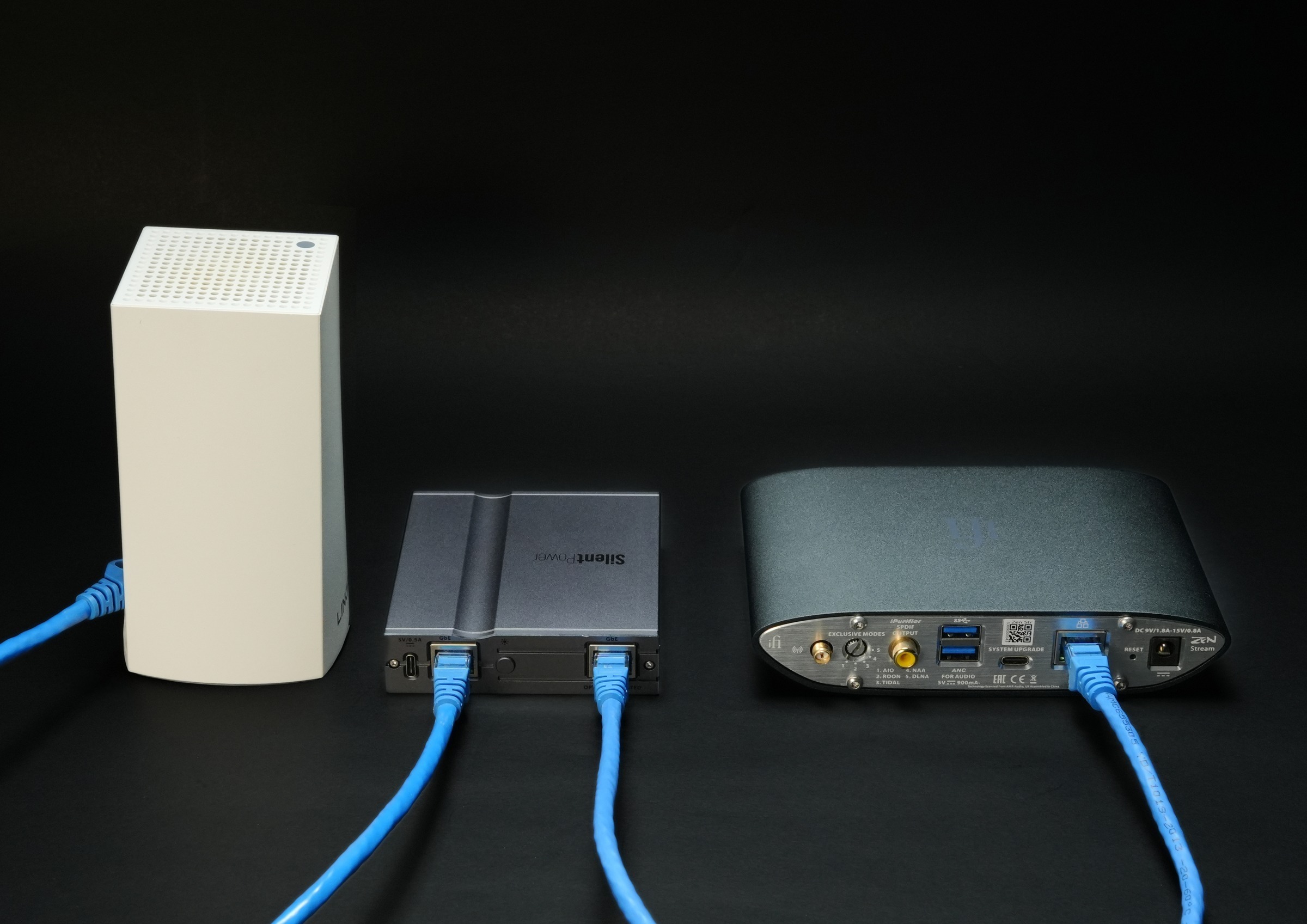
SilentPower LAN iPurifier Pro between a router and iFi ZEN Stream, original manufacturer setup photograph
器材之間,也值得照顧The Connections Deserve Attention Too

讓每條路徑
各司其職
Give Every Path
Its Own Purpose

接地、供電與網絡連接,處理的是不同問題
先了解系統的連接方式,再選擇相應裝置
原廠系統實拍:LAN iPurifier Pro 連接路由器與 iFi ZEN Stream
Grounding, power and network connections address different problems
Understand your system connections before choosing the device
Original setup photograph: LAN iPurifier Pro connects the router and iFi ZEN Stream

03

獎項與評價Awards and Reviews

獨立評測,對應確實型號
早期評測以 iFi 品牌名稱刊登
Independent assessments of the exact models
Earlier reviews were published under the iFi name

HiFiBLOG · Michael Holzinger · 2025

OMNI LAN

評論讚賞機身製作、顯示與操作便利;放進 AV 櫃內也能縮短網絡線長度
同時指出只支援 Gigabit,並非 2.5Gb 或 10Gb 交換器
Holzinger praises the build, display and ease of use; installing it inside AV furniture also shortened network cable runs
He notes the Gigabit limit: it is not a 2.5Gb or 10Gb switch
閱讀完整評論Read the Full Review ↗
Positive Feedback · Bruce Kinch · 2021

GND Defender

Kinch 在 Coincident Dynamo 膽機上使用,報告原有接地迴路嗡聲消失
他也區分器材本身的底噪,並提醒不是所有嗡聲都來自接地迴路
Using it with his Coincident Dynamo valve amplifier, Kinch reports that the existing ground-loop hum disappeared
He distinguishes component self-noise and explains that not all hum comes from ground loops

閱讀完整評論Read the Full Review ↗
PHILE WEB · 鈴木裕 / Yutaka Suzuki · 2021

iPower Elite

在六位評論員專題中,鈴木裕以 15V 版本替換 iPhono2 原有電源,描述高頻較乾淨、低頻密度增加
亦試用於有源 USB hub,從數碼器材的供電檢視模擬播放環境
In the six-reviewer feature, Suzuki replaces the iPhono2 supply with the 15V version and describes cleaner treble and denser bass
He also tests a powered USB hub, considering how digital-device supplies affect the analogue playback environment

閱讀完整評論Read the Full Review ↗
PHILE WEB · 園田洋世 / Hiroyo Sonoda · 2025

iPower Elite

園田洋世以 5V 版本供電予 Wattson Audio Emerson DIGITAL,播放 Qobuz
他的聆聽描述集中於音像立體感,以及現場錄音中的掌聲、歡呼與空間氣氛
Sonoda uses the 5V version with a Wattson Audio Emerson DIGITAL playing Qobuz
His listening account focuses on three-dimensional imaging and the applause, cheers and sense of space in live recordings

閱讀完整評論Read the Full Review ↗
Hi-Fi Choice · April 2022

GND Defender

評測給予五星 Highly Recommended
重點是以安全而簡潔的方法,處理接地迴路引起的嗡聲
The review awards five stars and Highly Recommended
Its assessment centres on a safe, elegant solution to hum caused by ground loops

閱讀完整評論Read the Full Review ↗
PHILE WEB · 土方久明 / Hisaaki Hijikata · 2021

iPower Elite

土方久明在三款 NAS/音樂伺服器上試用 12V 版本,描述較清楚的小音量細節與高頻透明感
他先核對各器材的電壓、電流與極性,才替換原有電源
Hijikata tests the 12V version with three NAS or music servers, describing clearer low-level detail and treble transparency
Before replacing each supply, he checks its voltage, current and polarity requirements

閱讀完整評論Read the Full Review ↗

以上為具名評論員的評測摘要,反映其器材與聆聽環境
獎項對應指定型號及年份;早期以 iFi 名義刊登
These attributed summaries reflect each reviewer’s equipment and listening environment
Awards relate to the named models and years; earlier coverage used the iFi name

簡單插接 · 各有用途Simple Connections · Distinct Jobs

由一個接口開始Start with One Connection

USB-C、Ethernet 與 HDMI 的小巧配件
先核對接口及用途,再接入現有系統
Compact Accessories for USB-C, Ethernet and HDMI
Match the Connector and Purpose, Then Add It to Your System

Original official iDefender Max photograph or product render
USB-C 接地迴路處理USB-C Ground-Loop Treatment

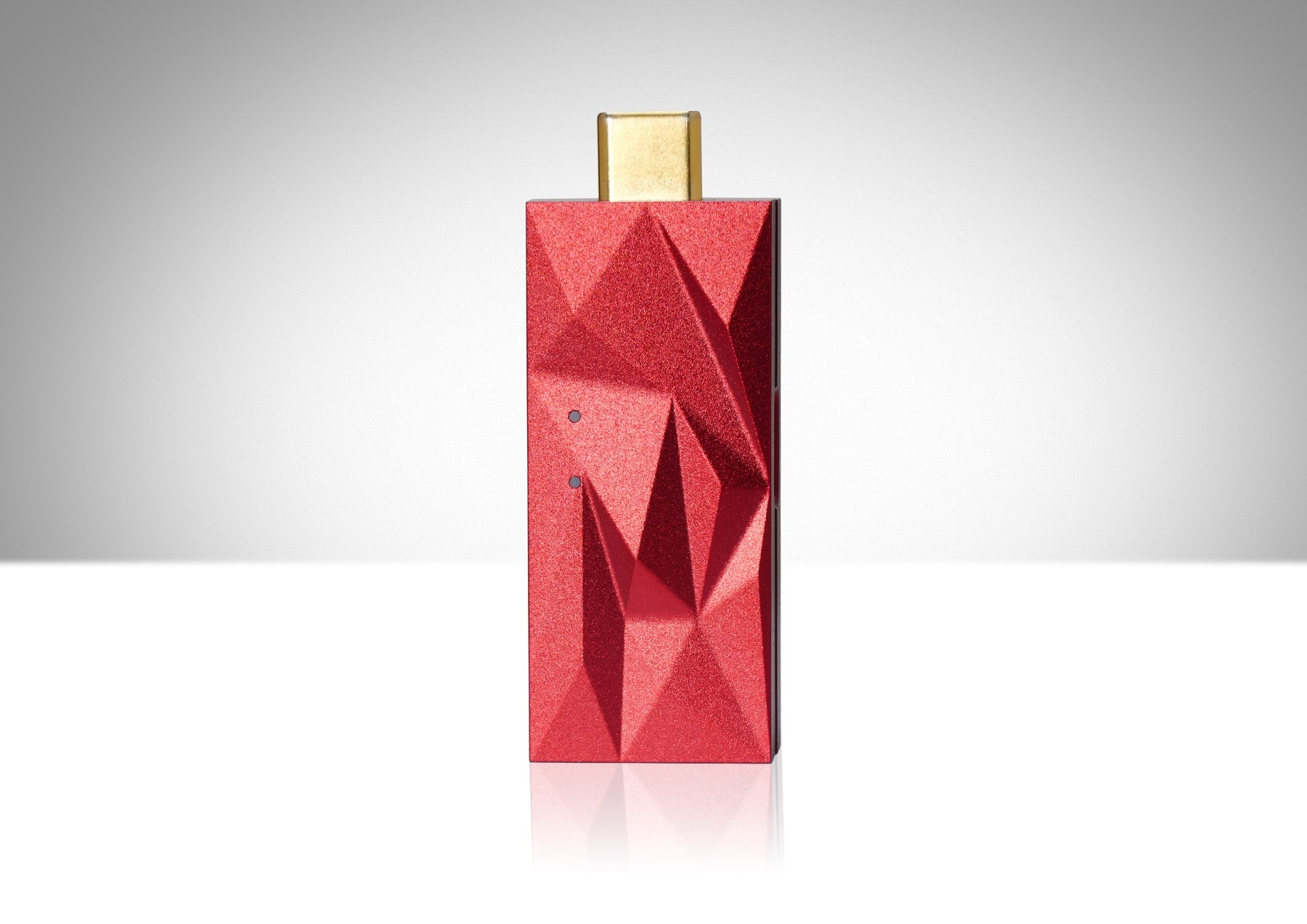
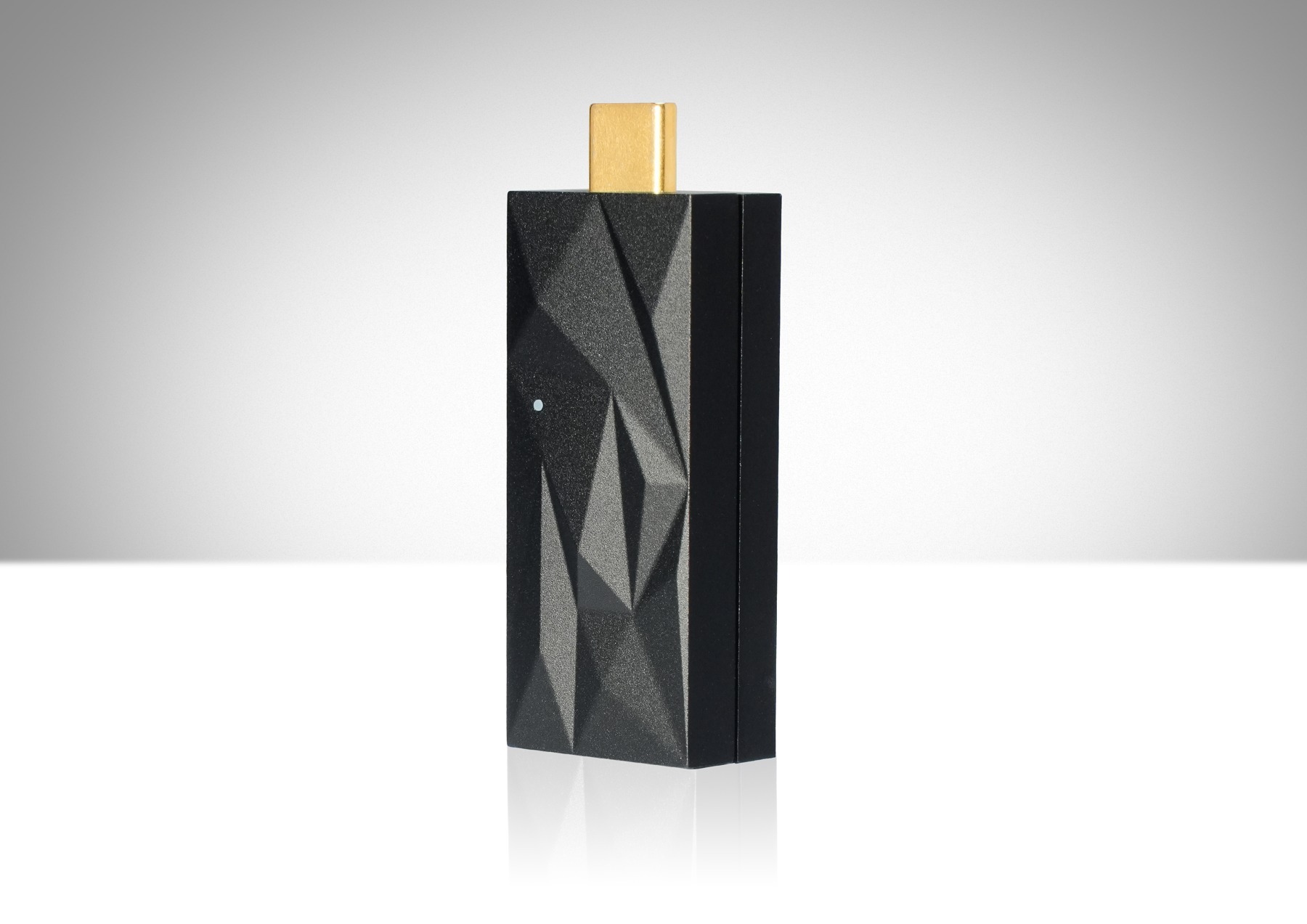
iDefender Max

接在電腦與 USB-C 器材之間
IsoGround 處理多重 USB 接地路徑,另設外接 USB-C 電源輸入
Connect between a computer and a USB-C device
IsoGround addresses multiple USB earth paths, with a separate USB-C power input

電腦 → iDefender Max → USB-C 器材Computer → iDefender Max → USB-C Device

51.3 × 20 × 12mm · USB 3.051.3 × 20 × 12mm · USB 3.0

HK$629可預訂 · 供貨詳情見產品頁Pre-Order · See the Product Page for Availability
產品詳情Product Details ↗

Original official iSilencer Max photograph or product render
USB-C 電氣雜訊處理USB-C Electrical Noise Treatment

iSilencer Max

接在電腦與 USB-C 器材之間,或插入空置 USB-C 接口
ANC III 針對 EMI/RFI,REBalance 處理 USB 訊號中的 DC 偏移
Connect between a computer and USB-C device, or use a spare USB-C port
ANC III targets EMI/RFI; REBalance addresses DC offset in the USB signal

電腦 → iSilencer Max → USB-C 器材Computer → iSilencer Max → USB-C Device

USB 3.0 · 向下兼容 USB 2.0USB 3.0 · Backwards Compatible with USB 2.0

HK$629可預訂 · 供貨詳情見產品頁Pre-Order · See the Product Page for Availability
產品詳情Product Details ↗

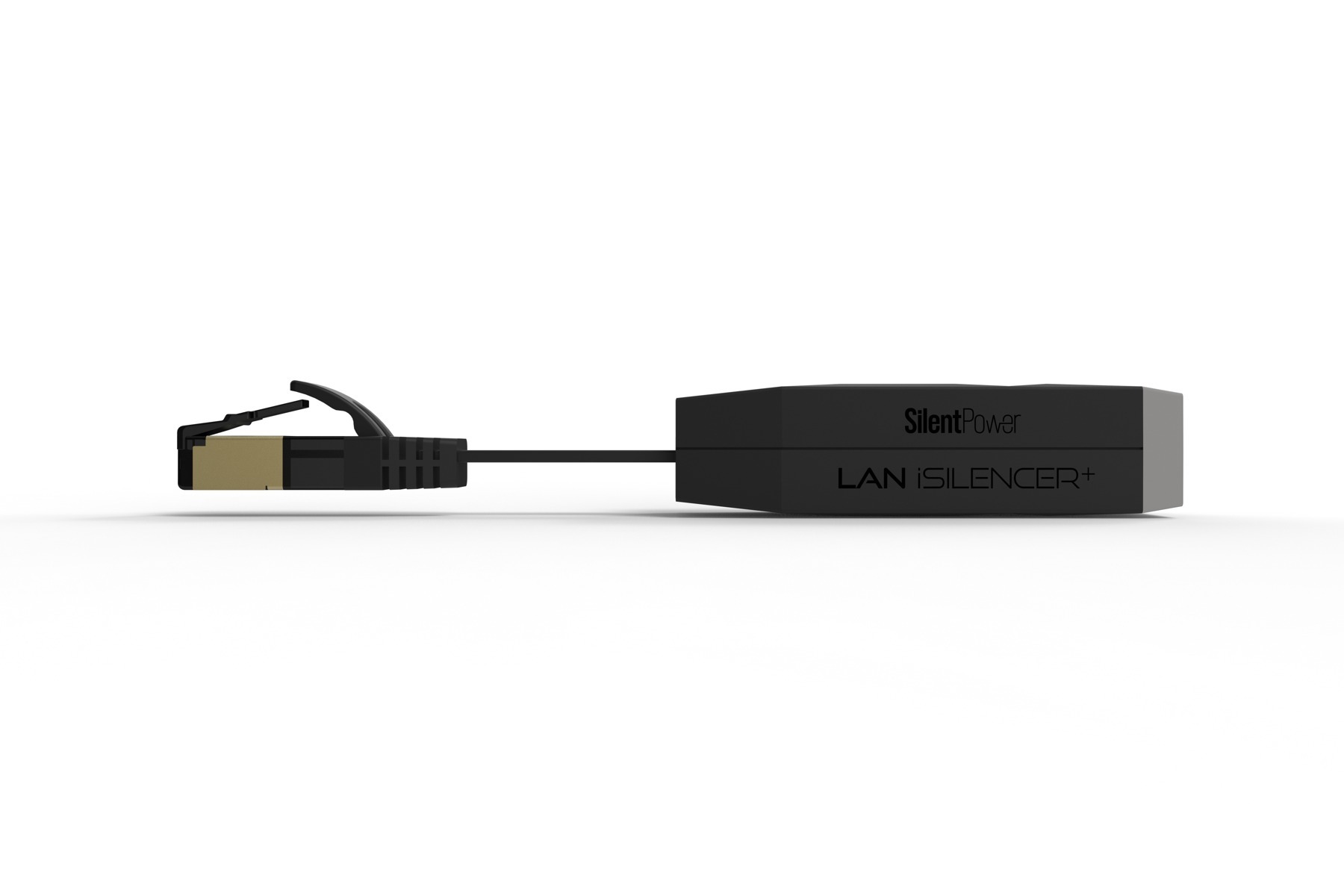
Original official LAN iSilencer+ photograph or product render
Ethernet 隔離與 RF 濾波Ethernet Isolation and RF Filtering

LAN iSilencer+

把網絡線接入 RJ45 插座,再將短尾插頭接至路由器或串流器材
以電氣隔離及被動 RF 濾波處理連接中的干擾;不用外接電源
Connect the Ethernet cable to its RJ45 socket, then plug the short lead into a router or streamer
Galvanic isolation and passive RF filtering address connection-borne interference; no external supply

Ethernet 線 → LAN iSilencer+ → 器材Ethernet Cable → LAN iSilencer+ → Device

123.5 × 19 × 16mm · Gigabit Ethernet123.5 × 19 × 16mm · Gigabit Ethernet

HK$720可預訂 · 供貨詳情見產品頁Pre-Order · See the Product Page for Availability
產品詳情Product Details ↗

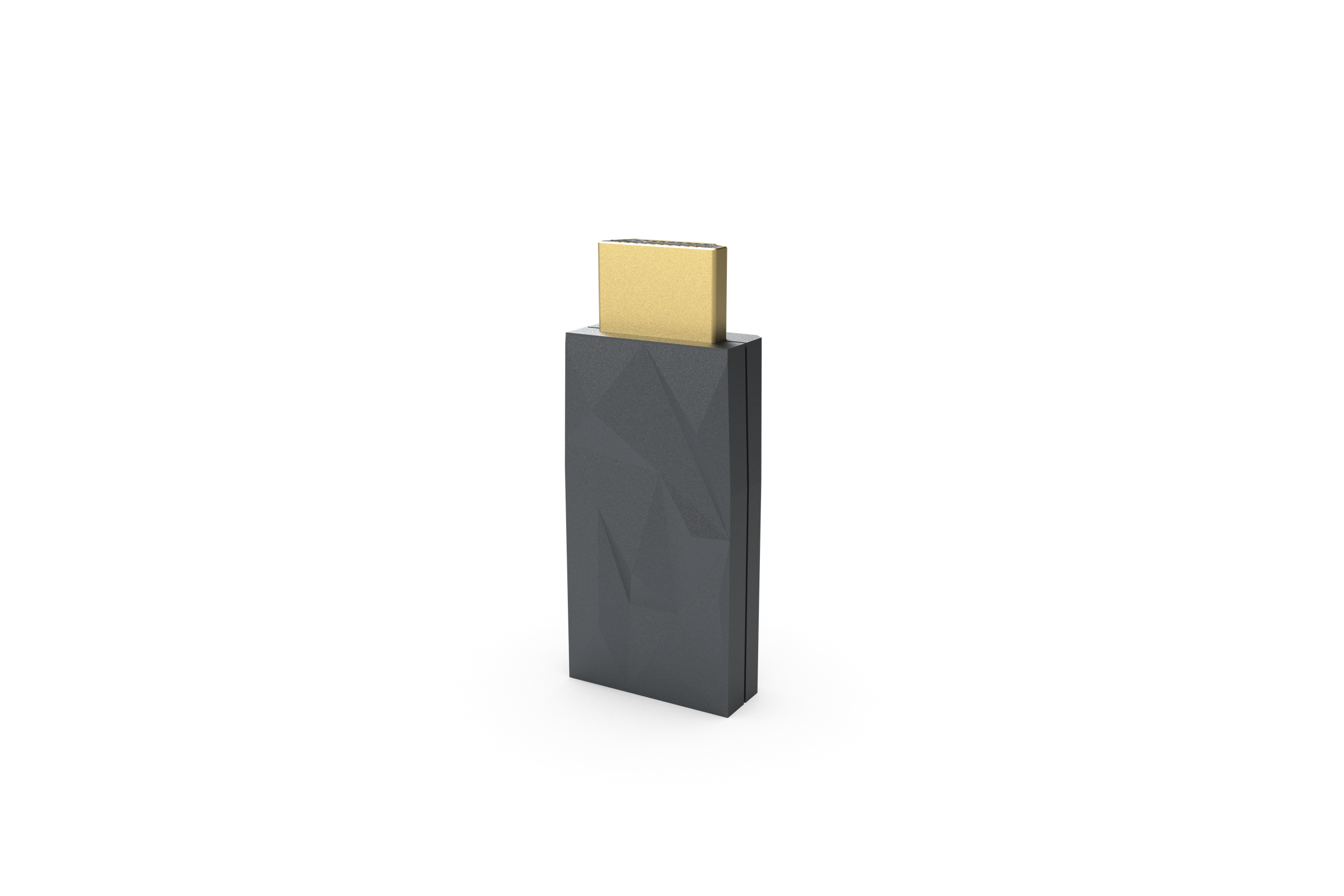
Original official HDMI iSilencer 2 photograph or product render
現有 HDMI 線的插入式配件A Plug-In Accessory for an Existing HDMI Cable

HDMI iSilencer 2

接在 HDMI 線與電視、投影機或 AV 擴音機之間
內置 ANC II、Jitter Elimination 及突波保護,保留原有線材
Insert between an HDMI cable and a TV, projector or AV receiver
ANC II, Jitter Elimination and surge protection let you retain the existing cable

HDMI 線 → iSilencer 2 → 顯示/AV 器材HDMI Cable → iSilencer 2 → Display / AV Device

30 × 20 × 9.3mm · HDMI 2.130 × 20 × 9.3mm · HDMI 2.1

HK$720可預訂 · 供貨詳情見產品頁Pre-Order · See the Product Page for Availability
產品詳情Product Details ↗

USB 接頭、HDMI 規格及器材相容性請先核對
實際效果取決於原有干擾及連接方式;供貨以網店最新資料為準
Check USB Connectors, HDMI Requirements and Device Compatibility First
Results Depend on Existing Interference and Connections; the Store Holds Current Availability

04

SilentPower 怎樣選?Which SilentPower Fits?

電源淨化、Ethernet 隔離與接地處理各有用途
按實際連接及供電需要比較
Mains filtering, Ethernet isolation and grounding solve different problems
Compare by connection and power requirements

點選上方型號,比較對應一欄Select a Model above to Highlight Its Column
型號比較Model ComparisonAC iPurifier 2
AC iPurifier 2
LAN iPurifier Pro
LAN iPurifier Pro
GND Defender
GND Defender
OMNI LAN
OMNI LAN
iPower Elite
iPower Elite
產品類型Product Type主動式電源淨化Active Mains Purification單一網絡路徑光電隔離Optical Isolation for One Network Path接地迴路處理Ground-Loop Treatment多器材網絡交換器Network Switch for Multiple Devices低噪音 DC 電源Low-Noise DC Power Supply
關鍵技術Key TechnologyANC III 主動降噪ANC III Active Noise Cancellation內置光電隔離及訊號重整Internal Optical Isolation and RegenerationDC 接地迴路阻斷DC Ground-Loop Interruption三重隔離 · GMT 時鐘Triple-Stage Isolation · GMT ClockingActive Noise Cancellation IIActive Noise Cancellation II
處理路徑Target Path電源線上的 EMI/RFIEMI/RFI on the Power LineEthernet 的電氣干擾路徑The Electrical Interference Path in Ethernet多重接地路徑引起的嗡聲Hum Caused by Multiple Earth Paths多器材串流及影音網絡Networked Audio and AV Systems使用相符 DC 規格的器材Equipment with Matching DC Requirements
尺寸Dimensions127 × 40 × 40mm (US)99 × 92.8 × 24.2mm68 × 37 × 32mm214 × 157 × 41mm148 × 55 × 50mm
連接/供電Connection / Power插入電源插座,並聯運作Parallel Connection to a Mains SocketUSB-C · 5V DC/1AUSB-C · 5V DC/1AIEC 接口 · 90–240V · 10AIEC Connection · 90–240V · 10A外置 15V 電源External 15V Supply5V/12V/15V/24V 版本5V/12V/15V/24V Versions
HK$1,080HK$2,380HK$799HK$6,399HK$2,380

尺寸按原廠資料 · AC iPurifier 2 圖示 US 版本
插頭、電壓及接口請按所選版本核對
Dimensions as specified by the manufacturer · AC iPurifier 2 US version pictured
Check the plug, voltage and connector for your chosen version

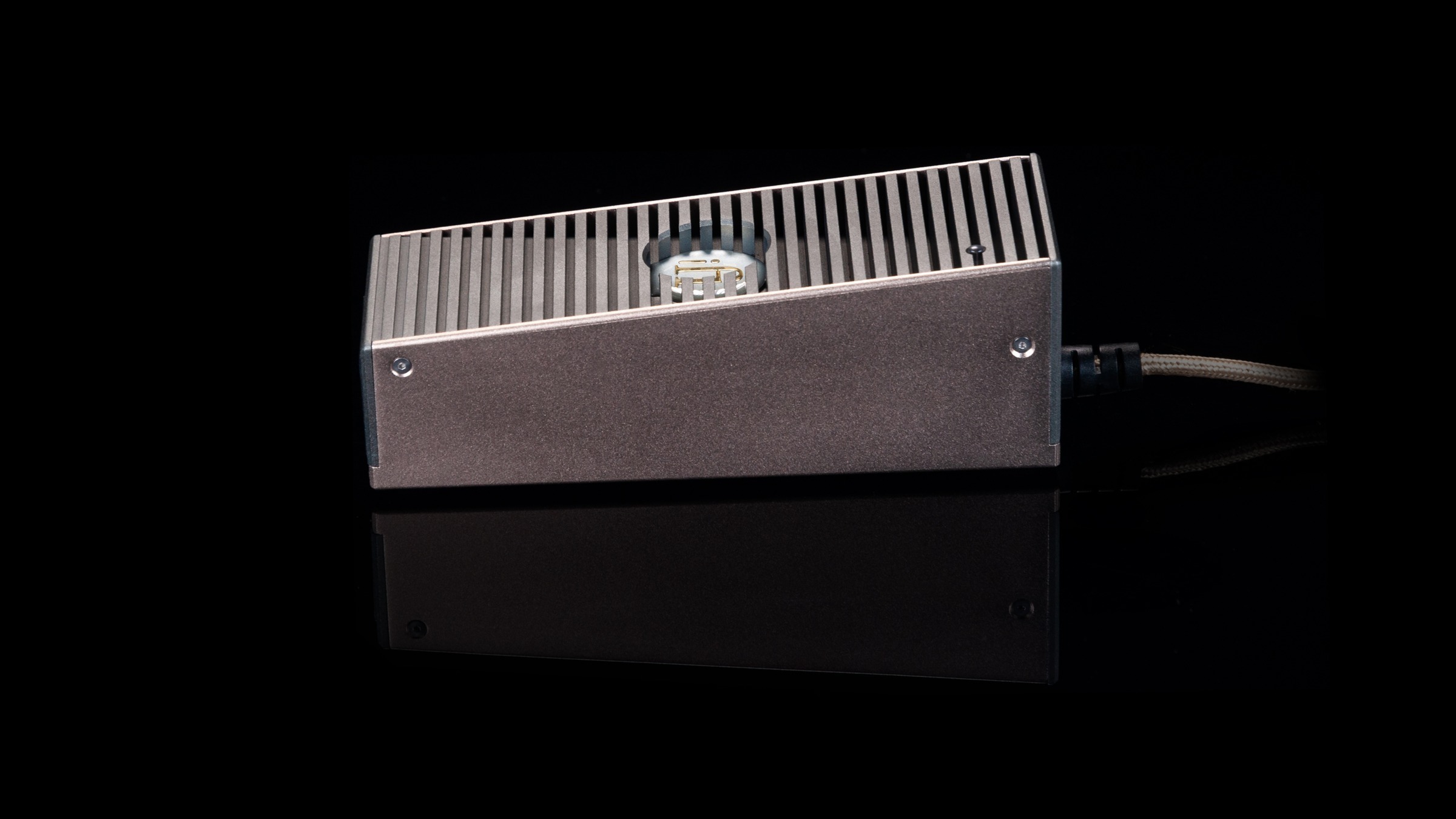
iPower Elite

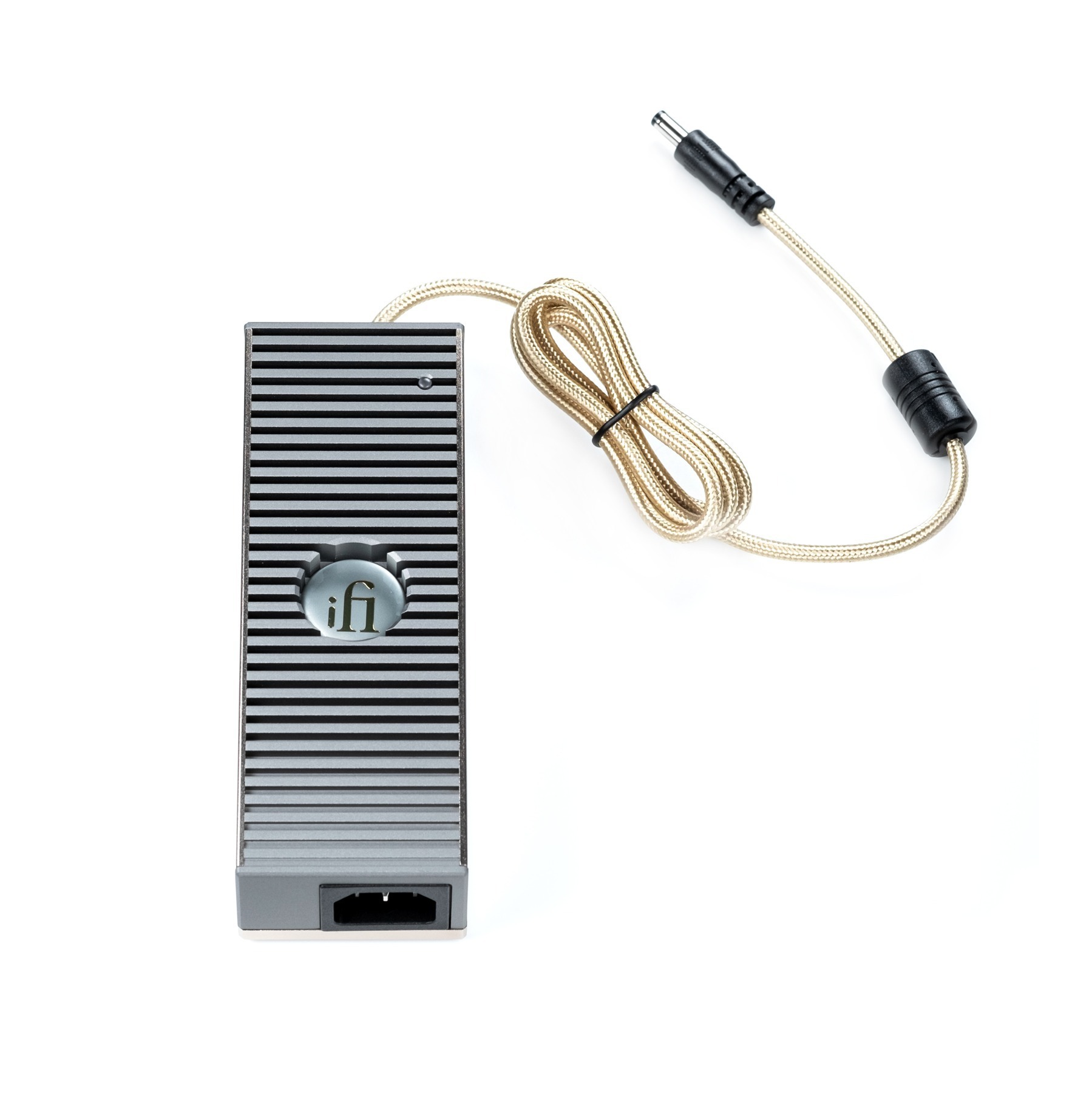
由供電源頭,處理雜訊Address Noise at the Power Supply

低噪音 DC 電源供應器,為相容器材替換原有外置電源A Low-Noise DC Supply to Replace the External Supply of Compatible Equipment

iPower Elite aluminium case and DC output cable, original manufacturer photograph

精密電路
小巧供電
Precise Circuitry
Compact Power

Active Noise Cancellation II 以反相信號處理電氣噪音Active Noise Cancellation II uses an opposing signal to address electrical noise

鋁合金機身 148 × 55 × 50mm,容易放在器材旁The 148 × 55 × 50mm aluminium body fits beside equipment

它提供 DC 供電,不是 Ethernet 或接地隔離器It supplies DC power; it is not an Ethernet or ground-loop isolator

市電Mains→iPower Elite→相容 DC 器材Compatible DC Device
iPower Elite 產品詳情iPower Elite Details ↗
5V5A
12V4A
15V3.5A
24V2.5A

先核對所需電壓,再核對電流、極性及接口
不同版本不能互換;插頭插得進不代表相容
Match Voltage First, Then Current, Polarity and Connector
Versions Are Not Interchangeable; a Plug That Fits Is Not Enough

07

常見問題Common Questions

認清用途與相容性
讓每一步選擇有根據
Understand the purpose and compatibility
Make each choice with a clear reason

SilentPower 是甚麼品牌?What Is SilentPower?

英國音響科技品牌,專注電源、接地及器材連接中的電氣干擾,提供電源供應器、淨化器、線材與隔離產品A British audio technology brand focused on electrical interference in power, grounding and component connections, with power supplies, filters, cables and isolation products

電源噪音等於房間噪音嗎?Is Mains Noise the Same as Room Noise?

電源噪音是電氣干擾;冷氣聲、交通聲及房間回音屬於聲學問題,AC iPurifier 2 的 ANC III 針對電源線上的 EMI/RFIMains noise is electrical interference; air-conditioning noise, traffic and room reverberation are acoustic problems, while ANC III targets EMI/RFI on the power line

AC iPurifier 2 要接在器材前面嗎?Does Power Pass through AC iPurifier 2?

它插入電源插座並以並聯方式運作,器材的供電不會串聯穿過淨化器,安裝位置及插頭版本按原廠說明選擇It plugs into a mains socket and operates in parallel; the component’s power does not pass through the purifier in series, so follow the manufacturer’s placement and plug-version guidance

LAN iPurifier Pro 需要另接光纖嗎?Does LAN iPurifier Pro Need an External Fibre Cable?

光電轉換在機內完成,兩端以 RJ45 Ethernet 連接,另需 USB-C 5V DC/1A 供電Optical conversion takes place inside the unit; connect RJ45 Ethernet at each end and provide USB-C 5V DC/1A power

網絡隔離會改動音樂檔案嗎?Does Network Isolation Change the Music File?

它處理連接中的電氣干擾路徑;光電隔離不等於修復或重新調音音樂檔案,也不代表互聯網頻寬會增加It addresses the electrical interference path in the connection; optical isolation does not repair or retune music files, or increase your internet bandwidth

所有嗡聲都是接地迴路嗎?Is Every Hum a Ground Loop?

嗡聲可以有不同成因,GND Defender 針對多重接地路徑形成的 DC 迴路;變壓器機械聲及其他故障需要另外判斷Hum can have different causes; GND Defender targets DC loops formed by multiple earth paths, while mechanical transformer noise and other faults need a separate diagnosis

GND Defender 如何保留接地安全?How Does GND Defender Handle Safety Earth?

原廠列明保留 EMI 屏蔽,偵測到故障時自動恢復接地連接,依照原廠說明及額定值使用,切勿自行移除電源接地腳The manufacturer specifies retained EMI shielding and automatic reinstatement of earth under a detected fault; follow its instructions and ratings, and never remove a mains earth pin

LAN iPurifier Pro 與 OMNI LAN 怎樣選?How Do LAN iPurifier Pro and OMNI LAN Differ?

LAN iPurifier Pro 針對一條 Ethernet 路徑;OMNI LAN 提供多接口交換器、Ultra-Pure 區域及流量顯示,按連接數目及用途選擇LAN iPurifier Pro treats one Ethernet path; OMNI LAN adds a multiport switch, an Ultra-Pure section and bandwidth monitoring, so choose by the number and type of connections

iPower Elite 可以接任何器材嗎?Can iPower Elite Power Any Device?

先核對器材所需的 DC 電壓、電流、極性及接口,不能只看插頭插得進便使用;不確定時可向我們查詢Check the required DC voltage, current, polarity and connector first; a plug that fits is not enough, and our team can help with compatibility questions WhatsApp ↗

每套系統都會聽到相同改善嗎?Will Every System Sound Equally Different?

實際效果取決於原有噪音、器材設計及連接方式;先找出干擾路徑,再選相符的產品The result depends on existing noise, equipment design and connections; identify the interference path before choosing a matching product

從你的系統,找到起點Find the Starting Point in Your System

查看全線產品及價格
或告訴我們器材型號與連接方式,核對合適的選擇
Explore the full range and current prices
Or share your equipment and connections for compatibility guidance